Hierzu löscht man folgende Datei: /etc/xdg/autostart/piwiz.desktop
Quelle: Disable „Welcome to Raspberry Pi“ setup wizard at system start
Dienstag, 14. September 2021
Hierzu löscht man folgende Datei: /etc/xdg/autostart/piwiz.desktop
Quelle: Disable „Welcome to Raspberry Pi“ setup wizard at system start
Tags: Raspberry Pi, Raspbian, RPi
Labels: Linux
Sonntag, 12. September 2021
Ich glaube wir sind in der Diskussion auf dem richtigen Weg, wenn wir aus der Risikomanagement-Lehre den Impact (die Auswirkungen, die Schwere eines Ereignisses; hier: Tod) und die Probability (Eintretenswahrscheinlichkeit über einen bestimmten Zeitraum) zweier Optionen miteinander vergleichen.
Doch ich verstehe nicht ganz, wer für den Stuss hier verantwortlich ist — Niall Ferguson, ein etwas erfolgreicherer Historiker als ich, der inkoherent etwas zusammenlabert, oder Reto Lipp, der unvollständig oder falsch zitiert/übersetzt.
“Wenn die Menschen das 1-zu-10-Risiko einer Covid-Erkrankung und das 1-zu-10000-Risiko einer Impfung nicht abschätzen können, muss der Staat Anreize setzen, damit sich die Menschen impfen” Wirtschaftshistoriker Niail Ferguson @tagesanzeiger
— Reto Lipp (@retolipp) September 9, 2021
Liest man diesen Tweet wortwörtlich, hat jemand eine Chance von 10 Prozent, an Covid-19 zu erkranken. Für wen gilt diese Zahl? Mann, Frau, Alter, Standort, sozialer Status, andere Erkrankungen usw. usf. Über welchen Zeitraum hinweg? Ehrlich gesagt gehe ich nach derzeitigem Wissensstand davon aus, dass jeder Mensch auf diesem Planeten (mindestens) einmal von SARS-CoV-2 infiziert werden wird.
Will Ferguson sagen, dass zehn Prozent aller Infizierten dann tatsächlich auch Erkranken? Und: Erkrankung ist für mich zu undifferenziert: Asymptomatisch (die in der Pandemie erfundenen „Gesunden Ungesunden“)? Ein leichter Husten? Hospitalisierung? Intensivstation? Long Covid? Man weiss es nicht.
Spätestens aber der Vergleich mit der Impfung macht absolut keinen Sinn mehr, wenn man Lipps Tweet wortwörtlich nimmt: Habe ich eine Chance von 1 zu 10’000, geimpft zu werden? Bei einer Impfquote von schweizweit über 50 Prozent? Ob man geimpft wird oder nicht ist kein statistisch verteiltes Ereignis, sondern hängt direkt mit der Willensbekundung einer Person ab. Entweder organisiert man sich einen Termin und lässt sich impfen, oder aber man entscheidet sich dagegen.
Ich versuche jetzt zu erraten, was Lipp (oder: Ferguson?) eigentlich sagen wollte:
Über den Zeitraum des Ausbruchs der SARS-CoV-2 „Pandemie“ bis heute betrachtet, stirbt einer von zehn Infizierten (10 Prozent). Einer von zehntausend (0.01 Prozent) stirbt an der Impfung. Für welches Tor entscheidet ihr euch?
Obwohl nun sauber ausgelegt macht alles weiterhin keinen Sinn, denn: Ich weiss nicht, von wo diese Zahlen stammen sollen, aber sie erscheinen mir beide kreuzfalsch. Keine Gesundheitsbehörde der Welt würde bei einer solchen „Pandemie“ eine Impfung zulassen (auch nicht unter Notzulassung), welche einen von zehntausend Impflingen tötet (bei der Beulenpest, die 30 Prozent der Bevölkerung umbringt, sähe es wohl anders aus). Genau so wenig sterben 10 Prozent an einer SARS-CoV-2-Infektion. Die Infection Fatality Rate bewegte sich in einer im März 2021 publizierten Auswertung der WHO global bei 0.15 Prozent (Quelle). Ich glaube nicht, dass sich an dieser Zahl seither massivstens etwas geändert hat.
Nachtrag: In die Impfvariante nicht miteinberechnet wurde zudem, dass auch geimpfte Leute sich weiter infizieren können, erkranken können und einige davon (wie viele?) an Covid-19 sterben werden.
Fazit: Liegt der Fehler bei Ferguson, sollte er sich überlegen, sich bei der quantitativen Geschichtsschreibung von einem Zahlenprofi unterstützen zu lassen. Falls Lipp der Fehler unterlaufen ist, sollte er den Tweet löschen und dann noch einmal sauber und korrekt aufschreiben.
Tags: CFR, Corona, Covid-19, IFR, Niall Ferguson, Reto Lipp, Risiko, Risiko-Management, SARS-CoV-2, Statistik, Tweet
Labels: Gesundheit, Medien
Samstag, 11. September 2021
Heute habe ich auf einem meiner Linux-Systems nach langer Zeit wieder einmal apt-get upgrade durchgeführt. Eines der wenigen System in meinem Fuhrpark, auf welchem noch Debian Stretch läuft.
Per SSH aus der Ferne eingeloggt, winkte ich die Meldungen durch — und musste offenbar übersehen haben, dass apt-get vor hatte, eine ganze Ladung kritischer Dienste zu entfernen. Unter anderem auch das Paket openssh-server. Nachdem das Update durch war, logge ich mich mittels Druck auf Ctrl-D aus. Und sah erst dann monits Warnmeldungen in meiner INBOX, dass auf TCP 22 kein SSH Daemon mehr lauschte. Doch dann war es bereits zu spät — ich hatte die letzte „Brücke“ zum Server soeben mit Ctrl-D in die Wüste geschickt.
Alle meine Systeme sysloggen via Site-to-Site-VPN auf einen zentralen ELK-Server. In Kibana dann die Hiobs-Botschaft:
sshd[10954]: error: rexec of /usr/sbin/sshd failed: No such file or directory
Sowie
sshd[10954]: fatal: chroot("/run/sshd"): No such file or directory [preauth]
Da der Server 13 Kilometer weit weg in der Wohnung eines Bekannten steht, hatte ich den Salat. Ich wollte eine Autofahrt vor Ort unbedingt vermeiden.
Glücklicherweise war der Bekannte gerade zu Hause und erklärte sich bereit, mir in diesem Notfall als manuelles, menschliches KVM zu helfen.
Als erstes leitete ich ihn via iMessage an, sich in den Laptop einzuloggen. Das klappte. Anschliessend wollte ich ihn zwei Befehle ausführen lassen:
$ sudo su -
# apt-get install openssh-server
Doch bereits der erste Befehl produzierte eine Fehlermeldung:
-bash: sudo: command not found
Himmelheiland, war sogar sudo deinstalliert worden?!
Immerhin su funktionierte, aber ich wollte dem Helfer nicht zumuten, das 32-stellige, zufällig generierte Passwort mühsam von iMessage auf die Laptop-Tastatur abzutippen.
Ich wollte schon aufgeben, da kam mir eine Blitzidee: Ich benötigte eine Reverse Shell unter dem nicht-privilegierten Benutzer, und dann könnte ich selber das Problem autonom lösen.
Das VPN war wegen eines Neustarts zusammengebrochen (genau dieser Server ist der entfernte Endpunkt), aber glücklicherweise hatte ich ein zweites System im entfernten Netzwerk, auf welchem ein SSH-Server mit einer öffentlichen IP lauscht. Ich war also zusätzlich parallel auf diesem zweiten Server eingeloggt. Zu diesem benachbarten Server sollte das Reverse Shell aufgebaut werden.
Eine Google-Suche lieferte folgende wichtigen Seiten zu Tage: Bind Shells and Reverse Shells with netcat, Hacking with Netcat part 2: Bind and reverse shells, Complete guide to Reverse Shells sowie Su: must be run from a terminal.
Der Bekannte gab nun auf dem zerschossenen Linux folgenden Befehl ein:
$ nc -lvp 12345 -e /bin/bash
Auf dem Schwester-Server gab ich dann ein:
$ nc -nv 10.1.2.3 12345
Wobei 10.1.2.3 die IP des zerschossenen Systems war.
Die Verbindung war zustande gekommen, aber ich sah keine richtige Shell. Befehle konnte ich eingeben (bspw. ls -l), und das Resultat wurde auf meinem Bildschirm angezeigt.
Problem: Als ich su ausführen wollte, wurde das mit der Fehlermeldung su : must be run from a terminal verhindert.
Zuerst überlegte ich mir den Weg über Scripts: How to pass the password to su/sudo/ssh without overriding the TTY? und su pass password to script.
Doch nach Konsultation von Getting around „su : must be run from a terminal“ schaffte ich eine wirklich vollständig brauchbare Shell nach Eingabe des folgenden Befehls:
python -c 'import pty; pty.spawn("/bin/bash")'
Einschub: Unter Stretch funktioniert das, unter Bullseye sollte man nun folgenden Befehle verwenden:
python3 -c 'import pty; pty.spawn("/bin/bash")'
Hurra, ich hatte eine Shell! Aber Achtung: Ein fahrlässiges, aus Gewohnheit gedrücktes Ctrl-C killt die netcat-Verbindung, nicht das laufende Programm.
Andere Varianten unter Zuhilfenahme anderer potentieller Bordmittel wie Perl, PHP etc. sind in Spawning a TTY Shell dokumentiert.
Nun also wollte ich su anwenden, realisierte erst dann aber, dass das in meiner Passwort-Datenbank hinterlegte 32 Zeichen lange Passwort nicht korrekt war. Ich hatte bei der Installation vergessen, dass viel zu einfache dummy-Passwort anzupassen … Als ich dieses eingegeben hatte, landete ich in einer root-Shell.
Doch oha: openssh-server liess sich wegen Abhängigkeitsproblemen nicht installieren.
Was nun? Ich musste irgendwie einen persistenten Server als ersten Brückenkopf einrichten, der beim versehentlichen Betätigen von Ctrl-C auf meiner Seite weiter lief und erneute Verbindungsversuche zuliess.
Ich überlegte mir, ein PHP-Backdoor-Script zu installieren (php-reverse-shell, Quellcode), doch wie konnte ich dieses so einrichten, dass es permanent oder periodisch automatisch Verbindungsversuche unternehmen würde?
Nach etwas tüfteln dann die viel einfachere Lösung:
# apt-get install telnetd
Besser wäre eigentlich gewesen:
# apt-get install telnetd-ssl
Via: How do I turn on telnet service on for a Linux / FreeBSD system?
Und nun hatte ich wieder einen „sauberen“ Zugang zum Server.
Die nachfolgenden Stunden verbrachte ich damit, den Server von Stretch auf Buster und dann auf Bullseye zu lüpfen und eine Ladung Pakete zu installieren, welche apt heimtückisch entfernt hatte: OpenSSH, sudo, cron, OpenVPN, Samba, monit.
Tags: OOB, Out-of-Band, Reverse Shell, Shell, SSH, sshd, telnet, telnetd, Terminal
Labels: Uncategorized
Sonntag, 5. September 2021
Heute Mal wieder gefragt worden, warum ich keine Kinder habe. Dank Twitter habe ich inzwischen die perfekte Antwort:
"wir mussten es weggeben, die Katze war allergisch."
Der Blick war unbezahlbar.— Emmanuelle 🔴💉➕💉 (@deuxcvsix) September 3, 2021
Tags: Kinder, Twitter, Zitat
Labels: Gesellschaft
Sonntag, 5. September 2021
Nachtrag: Leider hat diese Einstellungsänderung keine nachhaltige Abhilfe gebracht. Nach einem Umzug trat das Problem übrigens nicht mehr morgens um 4 Uhr auf, sondern abends nach 19 Uhr. Was ich jetzt stattdessen mache: Den RPi zwei Mal am Tag neu booten (um 5 Uhr, sowie um 17 Uhr). Das hat effektiv geholfen, das Problem tritt nicht mehr auf.
Seit einiger Zeit ging mein Raspberry Pi 3 zwischen 4 und 5 Uhr morgens „offline“. Meine monit-Installationen meldeten mir dann jeweils, dass der SSH-Server auf dem RPi nicht mehr zu erreichen war (gestern bspw. traf die Meldung um 4:24 Uhr ein).
/var/log/syslog enthielt nachfolgende Meldungen. Die Nennung von mmc_get_card liess mich aufhorchen, weshalb ich eine neue Micro SD-Karte bestellte und die alte Karte auf die neue klonte. Leider liess sich damit das Problem nicht beheben.
Die Lösung fand ich via Pi freezing up 4 times a day – Workqueue: events_freezable mmc_rescan #1522 und via SWAP on Raspberry Pi / SD = AUTOCRASH und via Workqueue: events_freezable mmc_rescan crash with Raspbian kernel 4.14.79-v7+ hier: Linux Kernel panic issue: How to fix hung_task_timeout_secs and blocked for more than 120 seconds problem:
In /etc/sysctl.conf fügte ich folgende Zeilen ein:
...
vm.dirty_background_ratio = 5
vm.dirty_ratio = 10
...
Bis dahin waren folgende Werte aktiv:
# sysctl -a | grep -i dirty
vm.dirty_background_bytes = 0
vm.dirty_background_ratio = 10
vm.dirty_bytes = 0
vm.dirty_expire_centisecs = 3000
vm.dirty_ratio = 20
vm.dirty_writeback_centisecs = 500
vm.dirtytime_expire_seconds = 43200
Danach ein Reboot. Heute trat das Problem nicht auf, aber ich beobachte die Situation weiter.
Sep 4 04:00:30 localhost rngd[402]: stats: Time spent starving for entropy: (min=0; avg=0.000; max=0)us Sep 4 04:03:53 localhost kernel: [83016.518551] rpi_firmware_get_throttled: 11 callbacks suppressed Sep 4 04:03:53 localhost kernel: [83016.518564] Under-voltage detected! (0x00050005) Sep 4 04:04:09 localhost kernel: [83033.166249] rpi_firmware_get_throttled: 10 callbacks suppressed Sep 4 04:04:09 localhost kernel: [83033.166256] Voltage normalised (0x00000000) Sep 4 04:04:14 localhost kernel: [83037.308077] Under-voltage detected! (0x00050005) Sep 4 04:04:24 localhost kernel: [83047.708048] Voltage normalised (0x00000000) Sep 4 04:04:26 localhost kernel: [83049.792930] Under-voltage detected! (0x00050005) Sep 4 04:04:32 localhost kernel: [83056.047211] Voltage normalised (0x00000000) Sep 4 04:05:35 localhost PackageKit: daemon quit Sep 4 04:05:36 localhost systemd[1]: packagekit.service: Main process exited, code=killed, status=15/TERM Sep 4 04:05:36 localhost systemd[1]: packagekit.service: Succeeded. Sep 4 04:09:05 localhost kernel: [83328.518609] rpi_firmware_get_throttled: 12 callbacks suppressed Sep 4 04:09:05 localhost kernel: [83328.518621] Under-voltage detected! (0x00050005) Sep 4 04:09:11 localhost kernel: [83334.749226] rpi_firmware_get_throttled: 12 callbacks suppressed Sep 4 04:09:11 localhost kernel: [83334.749233] Voltage normalised (0x00000000) Sep 4 04:09:26 localhost kernel: [83349.318128] Under-voltage detected! (0x00050005) Sep 4 04:09:32 localhost kernel: [83355.563939] Voltage normalised (0x00000000) Sep 4 04:09:51 localhost kernel: [83374.293909] Under-voltage detected! (0x00050005) Sep 4 04:10:05 localhost kernel: [83388.831471] Voltage normalised (0x00000000) Sep 4 04:10:50 localhost kernel: [83433.790161] INFO: task kworker/3:2:15593 blocked for more than 122 seconds. Sep 4 04:10:50 localhost kernel: [83433.790203] Tainted: G C 5.10.52-v7+ #1441 Sep 4 04:10:50 localhost kernel: [83433.790209] "echo 0 > /proc/sys/kernel/hung_task_timeout_secs" disables this message. Sep 4 04:10:50 localhost kernel: [83433.790221] task:kworker/3:2 state:D stack: 0 pid:15593 ppid: 2 flags:0x00000000 Sep 4 04:10:50 localhost kernel: [83433.790294] Workqueue: events_freezable mmc_rescan Sep 4 04:10:50 localhost kernel: [83433.790308] Backtrace: Sep 4 04:10:50 localhost kernel: [83433.790350] [<809f9068>] (__schedule) from [<809f9a40>] (schedule+0x68/0xe4) Sep 4 04:10:50 localhost kernel: [83433.790365] r10:81f29000 r9:ffffe000 r8:00000000 r7:00000000 r6:60000013 r5:ab061f00 Sep 4 04:10:50 localhost kernel: [83433.790372] r4:ffffe000 Sep 4 04:10:50 localhost kernel: [83433.790389] [<809f99d8>] (schedule) from [<80805678>] (__mmc_claim_host+0xe0/0x238) Sep 4 04:10:50 localhost kernel: [83433.790398] r5:81f29218 r4:00000002 Sep 4 04:10:50 localhost kernel: [83433.790410] [<80805598>] (__mmc_claim_host) from [<80805808>] (mmc_get_card+0x38/0x3c) Sep 4 04:10:50 localhost kernel: [83433.790423] r10:00000000 r9:00000000 r8:000000c0 r7:b37dfc00 r6:81f29218 r5:00000000 Sep 4 04:10:50 localhost kernel: [83433.790430] r4:81f29800 Sep 4 04:10:50 localhost kernel: [83433.790443] [<808057d0>] (mmc_get_card) from [<8080f484>] (mmc_sd_detect+0x24/0x7c) Sep 4 04:10:50 localhost kernel: [83433.790452] r5:81f29000 r4:81f29000 Sep 4 04:10:50 localhost kernel: [83433.790467] [<8080f460>] (mmc_sd_detect) from [<8080806c>] (mmc_rescan+0xdc/0x3b0) Sep 4 04:10:50 localhost kernel: [83433.790476] r5:81f29000 r4:81f2927c Sep 4 04:10:50 localhost kernel: [83433.790494] [<80807f90>] (mmc_rescan) from [<8013b948>] (process_one_work+0x250/0x5a0) Sep 4 04:10:50 localhost kernel: [83433.790507] r9:00000000 r8:000000c0 r7:b37dfc00 r6:b37dc640 r5:9a63cf80 r4:81f2927c Sep 4 04:10:50 localhost kernel: [83433.790520] [<8013b6f8>] (process_one_work) from [<8013bcf8>] (worker_thread+0x60/0x5c4) Sep 4 04:10:50 localhost kernel: [83433.790531] r10:b37dc640 r9:80f03d00 r8:b37dc658 r7:00000008 r6:b37dc640 r5:9a63cf94 Sep 4 04:10:50 localhost kernel: [83433.790538] r4:9a63cf80 Sep 4 04:10:50 localhost kernel: [83433.790557] [<8013bc98>] (worker_thread) from [<80143790>] (kthread+0x170/0x174) Sep 4 04:10:50 localhost kernel: [83433.790568] r10:84b45e74 r9:9a63cf80 r8:8013bc98 r7:87d88000 r6:00000000 r5:84bad2c0 Sep 4 04:10:50 localhost kernel: [83433.790576] r4:84bad180 Sep 4 04:10:50 localhost kernel: [83433.790592] [<80143620>] (kthread) from [<801000ec>] (ret_from_fork+0x14/0x28) Sep 4 04:10:50 localhost kernel: [83433.790601] Exception stack(0x87d89fb0 to 0x87d89ff8) Sep 4 04:10:50 localhost kernel: [83433.790611] 9fa0: 00000000 00000000 00000000 00000000 Sep 4 04:10:50 localhost kernel: [83433.790621] 9fc0: 00000000 00000000 00000000 00000000 00000000 00000000 00000000 00000000 Sep 4 04:10:50 localhost kernel: [83433.790630] 9fe0: 00000000 00000000 00000000 00000000 00000013 00000000 Sep 4 04:10:50 localhost kernel: [83433.790641] r10:00000000 r9:00000000 r8:00000000 r7:00000000 r6:00000000 r5:80143620 Sep 4 04:10:50 localhost kernel: [83433.790648] r4:84bad2c0 Sep 4 04:14:15 localhost kernel: [83638.475623] rpi_firmware_get_throttled: 8 callbacks suppressed Sep 4 04:14:15 localhost kernel: [83638.475635] Under-voltage detected! (0x00050005) Sep 4 04:14:21 localhost kernel: [83644.680862] rpi_firmware_get_throttled: 8 callbacks suppressed Sep 4 04:14:21 localhost kernel: [83644.680869] Voltage normalised (0x00000000) Sep 4 04:14:29 localhost kernel: [83653.001748] Under-voltage detected! (0x00050005) Sep 4 04:14:42 localhost kernel: [83665.480617] Voltage normalised (0x00000000) Sep 4 04:14:46 localhost kernel: [83669.651556] Under-voltage detected! (0x00050005) Sep 4 04:14:52 localhost kernel: [83675.880617] Voltage normalised (0x00000000) Sep 4 04:14:56 localhost kernel: [83679.550677] INFO: task kworker/3:2:15593 blocked for more than 122 seconds. Sep 4 04:14:56 localhost kernel: [83679.550695] Tainted: G C 5.10.52-v7+ #1441 Sep 4 04:14:56 localhost kernel: [83679.550701] "echo 0 > /proc/sys/kernel/hung_task_timeout_secs" disables this message. Sep 4 04:14:56 localhost kernel: [83679.550709] task:kworker/3:2 state:D stack: 0 pid:15593 ppid: 2 flags:0x00000000 Sep 4 04:14:56 localhost kernel: [83679.550740] Workqueue: events_freezable mmc_rescan Sep 4 04:14:56 localhost kernel: [83679.550752] Backtrace: Sep 4 04:14:56 localhost kernel: [83679.550775] [<809f9068>] (__schedule) from [<809f9a40>] (schedule+0x68/0xe4) Sep 4 04:14:56 localhost kernel: [83679.550787] r10:81f29000 r9:ffffe000 r8:00000000 r7:00000000 r6:60000013 r5:ab061f00 Sep 4 04:14:56 localhost kernel: [83679.550794] r4:ffffe000 Sep 4 04:14:56 localhost kernel: [83679.550809] [<809f99d8>] (schedule) from [<80805678>] (__mmc_claim_host+0xe0/0x238) Sep 4 04:14:56 localhost kernel: [83679.550816] r5:81f29218 r4:00000002 Sep 4 04:14:56 localhost kernel: [83679.550828] [<80805598>] (__mmc_claim_host) from [<80805808>] (mmc_get_card+0x38/0x3c) Sep 4 04:14:56 localhost kernel: [83679.550838] r10:00000000 r9:00000000 r8:000000c0 r7:b37dfc00 r6:81f29218 r5:00000000 Sep 4 04:14:56 localhost kernel: [83679.550845] r4:81f29800 Sep 4 04:14:56 localhost kernel: [83679.550857] [<808057d0>] (mmc_get_card) from [<8080f484>] (mmc_sd_detect+0x24/0x7c) Sep 4 04:14:56 localhost kernel: [83679.550864] r5:81f29000 r4:81f29000 Sep 4 04:14:56 localhost kernel: [83679.550876] [<8080f460>] (mmc_sd_detect) from [<8080806c>] (mmc_rescan+0xdc/0x3b0) Sep 4 04:14:56 localhost kernel: [83679.550884] r5:81f29000 r4:81f2927c Sep 4 04:14:56 localhost kernel: [83679.550900] [<80807f90>] (mmc_rescan) from [<8013b948>] (process_one_work+0x250/0x5a0) Sep 4 04:14:56 localhost kernel: [83679.550911] r9:00000000 r8:000000c0 r7:b37dfc00 r6:b37dc640 r5:9a63cf80 r4:81f2927c Sep 4 04:14:56 localhost kernel: [83679.550923] [<8013b6f8>] (process_one_work) from [<8013bcf8>] (worker_thread+0x60/0x5c4) Sep 4 04:14:56 localhost kernel: [83679.550934] r10:b37dc640 r9:80f03d00 r8:b37dc658 r7:00000008 r6:b37dc640 r5:9a63cf94 Sep 4 04:14:56 localhost kernel: [83679.550941] r4:9a63cf80 Sep 4 04:14:56 localhost kernel: [83679.550954] [<8013bc98>] (worker_thread) from [<80143790>] (kthread+0x170/0x174) Sep 4 04:14:56 localhost kernel: [83679.550964] r10:84b45e74 r9:9a63cf80 r8:8013bc98 r7:87d88000 r6:00000000 r5:84bad2c0 Sep 4 04:14:56 localhost kernel: [83679.550971] r4:84bad180 Sep 4 04:14:56 localhost kernel: [83679.550983] [<80143620>] (kthread) from [<801000ec>] (ret_from_fork+0x14/0x28) Sep 4 04:14:56 localhost kernel: [83679.550990] Exception stack(0x87d89fb0 to 0x87d89ff8) Sep 4 04:14:56 localhost kernel: [83679.550998] 9fa0: 00000000 00000000 00000000 00000000 Sep 4 04:14:56 localhost kernel: [83679.551008] 9fc0: 00000000 00000000 00000000 00000000 00000000 00000000 00000000 00000000 Sep 4 04:14:56 localhost kernel: [83679.551017] 9fe0: 00000000 00000000 00000000 00000000 00000013 00000000 Sep 4 04:14:56 localhost kernel: [83679.551027] r10:00000000 r9:00000000 r8:00000000 r7:00000000 r6:00000000 r5:80143620 Sep 4 04:14:56 localhost kernel: [83679.551033] r4:84bad2c0 Sep 4 04:16:59 localhost kernel: [83802.431188] INFO: task kworker/3:2:15593 blocked for more than 245 seconds. Sep 4 04:16:59 localhost kernel: [83802.431205] Tainted: G C 5.10.52-v7+ #1441 Sep 4 04:16:59 localhost kernel: [83802.431210] "echo 0 > /proc/sys/kernel/hung_task_timeout_secs" disables this message. Sep 4 04:16:59 localhost kernel: [83802.431218] task:kworker/3:2 state:D stack: 0 pid:15593 ppid: 2 flags:0x00000000 Sep 4 04:16:59 localhost kernel: [83802.431249] Workqueue: events_freezable mmc_rescan Sep 4 04:16:59 localhost kernel: [83802.431261] Backtrace: Sep 4 04:16:59 localhost kernel: [83802.431285] [<809f9068>] (__schedule) from [<809f9a40>] (schedule+0x68/0xe4) Sep 4 04:16:59 localhost kernel: [83802.431298] r10:81f29000 r9:ffffe000 r8:00000000 r7:00000000 r6:60000013 r5:ab061f00 Sep 4 04:16:59 localhost kernel: [83802.431305] r4:ffffe000 Sep 4 04:16:59 localhost kernel: [83802.431317] [<809f99d8>] (schedule) from [<80805678>] (__mmc_claim_host+0xe0/0x238) Sep 4 04:16:59 localhost kernel: [83802.431325] r5:81f29218 r4:00000002 Sep 4 04:16:59 localhost kernel: [83802.431336] [<80805598>] (__mmc_claim_host) from [<80805808>] (mmc_get_card+0x38/0x3c) Sep 4 04:16:59 localhost kernel: [83802.431347] r10:00000000 r9:00000000 r8:000000c0 r7:b37dfc00 r6:81f29218 r5:00000000 Sep 4 04:16:59 localhost kernel: [83802.431353] r4:81f29800 Sep 4 04:16:59 localhost kernel: [83802.431365] [<808057d0>] (mmc_get_card) from [<8080f484>] (mmc_sd_detect+0x24/0x7c) Sep 4 04:16:59 localhost kernel: [83802.431373] r5:81f29000 r4:81f29000 Sep 4 04:16:59 localhost kernel: [83802.431385] [<8080f460>] (mmc_sd_detect) from [<8080806c>] (mmc_rescan+0xdc/0x3b0) Sep 4 04:16:59 localhost kernel: [83802.431394] r5:81f29000 r4:81f2927c Sep 4 04:16:59 localhost kernel: [83802.431407] [<80807f90>] (mmc_rescan) from [<8013b948>] (process_one_work+0x250/0x5a0) Sep 4 04:16:59 localhost kernel: [83802.431417] r9:00000000 r8:000000c0 r7:b37dfc00 r6:b37dc640 r5:9a63cf80 r4:81f2927c Sep 4 04:16:59 localhost kernel: [83802.431429] [<8013b6f8>] (process_one_work) from [<8013bcf8>] (worker_thread+0x60/0x5c4) Sep 4 04:16:59 localhost kernel: [83802.431440] r10:b37dc640 r9:80f03d00 r8:b37dc658 r7:00000008 r6:b37dc640 r5:9a63cf94 Sep 4 04:16:59 localhost kernel: [83802.431446] r4:9a63cf80 Sep 4 04:16:59 localhost kernel: [83802.431458] [<8013bc98>] (worker_thread) from [<80143790>] (kthread+0x170/0x174) Sep 4 04:16:59 localhost kernel: [83802.431470] r10:84b45e74 r9:9a63cf80 r8:8013bc98 r7:87d88000 r6:00000000 r5:84bad2c0 Sep 4 04:16:59 localhost kernel: [83802.431476] r4:84bad180 Sep 4 04:16:59 localhost kernel: [83802.431487] [<80143620>] (kthread) from [<801000ec>] (ret_from_fork+0x14/0x28) Sep 4 04:16:59 localhost kernel: [83802.431494] Exception stack(0x87d89fb0 to 0x87d89ff8) Sep 4 04:16:59 localhost kernel: [83802.431503] 9fa0: 00000000 00000000 00000000 00000000 Sep 4 04:16:59 localhost kernel: [83802.431514] 9fc0: 00000000 00000000 00000000 00000000 00000000 00000000 00000000 00000000 Sep 4 04:16:59 localhost kernel: [83802.431522] 9fe0: 00000000 00000000 00000000 00000000 00000013 00000000 Sep 4 04:16:59 localhost kernel: [83802.431532] r10:00000000 r9:00000000 r8:00000000 r7:00000000 r6:00000000 r5:80143620 Sep 4 04:16:59 localhost kernel: [83802.431539] r4:84bad2c0 Sep 4 04:19:02 localhost kernel: [83925.312000] INFO: task kworker/3:2:15593 blocked for more than 368 seconds. Sep 4 04:19:02 localhost kernel: [83925.312024] Tainted: G C 5.10.52-v7+ #1441 Sep 4 04:19:02 localhost kernel: [83925.312030] "echo 0 > /proc/sys/kernel/hung_task_timeout_secs" disables this message. Sep 4 04:19:02 localhost kernel: [83925.312041] task:kworker/3:2 state:D stack: 0 pid:15593 ppid: 2 flags:0x00000000 Sep 4 04:19:02 localhost kernel: [83925.312088] Workqueue: events_freezable mmc_rescan Sep 4 04:19:02 localhost kernel: [83925.312102] Backtrace: Sep 4 04:19:02 localhost kernel: [83925.312132] [<809f9068>] (__schedule) from [<809f9a40>] (schedule+0x68/0xe4) Sep 4 04:19:02 localhost kernel: [83925.312146] r10:81f29000 r9:ffffe000 r8:00000000 r7:00000000 r6:60000013 r5:ab061f00 Sep 4 04:19:02 localhost kernel: [83925.312154] r4:ffffe000 Sep 4 04:19:02 localhost kernel: [83925.312167] [<809f99d8>] (schedule) from [<80805678>] (__mmc_claim_host+0xe0/0x238) Sep 4 04:19:02 localhost kernel: [83925.312175] r5:81f29218 r4:00000002 Sep 4 04:19:02 localhost kernel: [83925.312187] [<80805598>] (__mmc_claim_host) from [<80805808>] (mmc_get_card+0x38/0x3c) Sep 4 04:19:02 localhost kernel: [83925.312197] r10:00000000 r9:00000000 r8:000000c0 r7:b37dfc00 r6:81f29218 r5:00000000 Sep 4 04:19:02 localhost kernel: [83925.312204] r4:81f29800 Sep 4 04:19:02 localhost kernel: [83925.312221] [<808057d0>] (mmc_get_card) from [<8080f484>] (mmc_sd_detect+0x24/0x7c) Sep 4 04:19:02 localhost kernel: [83925.312229] r5:81f29000 r4:81f29000 Sep 4 04:19:02 localhost kernel: [83925.312242] [<8080f460>] (mmc_sd_detect) from [<8080806c>] (mmc_rescan+0xdc/0x3b0) Sep 4 04:19:02 localhost kernel: [83925.312250] r5:81f29000 r4:81f2927c Sep 4 04:19:02 localhost kernel: [83925.312272] [<80807f90>] (mmc_rescan) from [<8013b948>] (process_one_work+0x250/0x5a0) Sep 4 04:19:02 localhost kernel: [83925.312284] r9:00000000 r8:000000c0 r7:b37dfc00 r6:b37dc640 r5:9a63cf80 r4:81f2927c Sep 4 04:19:02 localhost kernel: [83925.312296] [<8013b6f8>] (process_one_work) from [<8013bcf8>] (worker_thread+0x60/0x5c4) Sep 4 04:19:02 localhost kernel: [83925.312307] r10:b37dc640 r9:80f03d00 r8:b37dc658 r7:00000008 r6:b37dc640 r5:9a63cf94 Sep 4 04:19:02 localhost kernel: [83925.312314] r4:9a63cf80 Sep 4 04:19:02 localhost kernel: [83925.312330] [<8013bc98>] (worker_thread) from [<80143790>] (kthread+0x170/0x174) Sep 4 04:19:02 localhost kernel: [83925.312341] r10:84b45e74 r9:9a63cf80 r8:8013bc98 r7:87d88000 r6:00000000 r5:84bad2c0 Sep 4 04:19:02 localhost kernel: [83925.312348] r4:84bad180 Sep 4 04:19:02 localhost kernel: [83925.312365] [<80143620>] (kthread) from [<801000ec>] (ret_from_fork+0x14/0x28) Sep 4 04:19:02 localhost kernel: [83925.312374] Exception stack(0x87d89fb0 to 0x87d89ff8) Sep 4 04:19:02 localhost kernel: [83925.312385] 9fa0: 00000000 00000000 00000000 00000000 Sep 4 04:19:02 localhost kernel: [83925.312396] 9fc0: 00000000 00000000 00000000 00000000 00000000 00000000 00000000 00000000 Sep 4 04:19:02 localhost kernel: [83925.312405] 9fe0: 00000000 00000000 00000000 00000000 00000013 00000000 Sep 4 04:19:02 localhost kernel: [83925.312415] r10:00000000 r9:00000000 r8:00000000 r7:00000000 r6:00000000 r5:80143620 Sep 4 04:19:02 localhost kernel: [83925.312422] r4:84bad2c0 Sep 4 04:19:44 localhost kernel: [83967.085113] rpi_firmware_get_throttled: 13 callbacks suppressed Sep 4 04:19:44 localhost kernel: [83967.085126] Under-voltage detected! (0x00050005) Sep 4 04:19:50 localhost kernel: [83973.330678] rpi_firmware_get_throttled: 13 callbacks suppressed Sep 4 04:19:50 localhost kernel: [83973.330684] Voltage normalised (0x00000000) Sep 4 04:20:21 localhost kernel: [84004.543471] Under-voltage detected! (0x00050005) Sep 4 04:20:27 localhost kernel: [84010.752118] Voltage normalised (0x00000000) Sep 4 04:20:31 localhost kernel: [84014.918282] Under-voltage detected! (0x00050005) Sep 4 04:20:38 localhost kernel: [84021.163940] Voltage normalised (0x00000000) Sep 4 04:21:05 localhost kernel: [84048.192343] INFO: task kworker/3:2:15593 blocked for more than 491 seconds. Sep 4 04:21:05 localhost kernel: [84048.192360] Tainted: G C 5.10.52-v7+ #1441 Sep 4 04:21:05 localhost kernel: [84048.192366] "echo 0 > /proc/sys/kernel/hung_task_timeout_secs" disables this message. Sep 4 04:21:05 localhost kernel: [84048.192373] task:kworker/3:2 state:D stack: 0 pid:15593 ppid: 2 flags:0x00000000 Sep 4 04:21:05 localhost kernel: [84048.192405] Workqueue: events_freezable mmc_rescan Sep 4 04:21:05 localhost kernel: [84048.192417] Backtrace: Sep 4 04:21:05 localhost kernel: [84048.192441] [<809f9068>] (__schedule) from [<809f9a40>] (schedule+0x68/0xe4) Sep 4 04:21:05 localhost kernel: [84048.192453] r10:81f29000 r9:ffffe000 r8:00000000 r7:00000000 r6:60000013 r5:ab061f00 Sep 4 04:21:05 localhost kernel: [84048.192460] r4:ffffe000 Sep 4 04:21:05 localhost kernel: [84048.192473] [<809f99d8>] (schedule) from [<80805678>] (__mmc_claim_host+0xe0/0x238) Sep 4 04:21:05 localhost kernel: [84048.192481] r5:81f29218 r4:00000002 Sep 4 04:21:05 localhost kernel: [84048.192492] [<80805598>] (__mmc_claim_host) from [<80805808>] (mmc_get_card+0x38/0x3c) Sep 4 04:21:05 localhost kernel: [84048.192503] r10:00000000 r9:00000000 r8:000000c0 r7:b37dfc00 r6:81f29218 r5:00000000 Sep 4 04:21:05 localhost kernel: [84048.192509] r4:81f29800 Sep 4 04:21:05 localhost kernel: [84048.192522] [<808057d0>] (mmc_get_card) from [<8080f484>] (mmc_sd_detect+0x24/0x7c) Sep 4 04:21:05 localhost kernel: [84048.192530] r5:81f29000 r4:81f29000 Sep 4 04:21:05 localhost kernel: [84048.192543] [<8080f460>] (mmc_sd_detect) from [<8080806c>] (mmc_rescan+0xdc/0x3b0) Sep 4 04:21:05 localhost kernel: [84048.192550] r5:81f29000 r4:81f2927c Sep 4 04:21:05 localhost kernel: [84048.192564] [<80807f90>] (mmc_rescan) from [<8013b948>] (process_one_work+0x250/0x5a0) Sep 4 04:21:05 localhost kernel: [84048.192574] r9:00000000 r8:000000c0 r7:b37dfc00 r6:b37dc640 r5:9a63cf80 r4:81f2927c Sep 4 04:21:05 localhost kernel: [84048.192587] [<8013b6f8>] (process_one_work) from [<8013bcf8>] (worker_thread+0x60/0x5c4) Sep 4 04:21:05 localhost kernel: [84048.192597] r10:b37dc640 r9:80f03d00 r8:b37dc658 r7:00000008 r6:b37dc640 r5:9a63cf94 Sep 4 04:21:05 localhost kernel: [84048.192604] r4:9a63cf80 Sep 4 04:21:05 localhost kernel: [84048.192617] [<8013bc98>] (worker_thread) from [<80143790>] (kthread+0x170/0x174) Sep 4 04:21:05 localhost kernel: [84048.192627] r10:84b45e74 r9:9a63cf80 r8:8013bc98 r7:87d88000 r6:00000000 r5:84bad2c0 Sep 4 04:21:05 localhost kernel: [84048.192634] r4:84bad180 Sep 4 04:21:05 localhost kernel: [84048.192651] [<80143620>] (kthread) from [<801000ec>] (ret_from_fork+0x14/0x28) Sep 4 04:21:05 localhost kernel: [84048.192661] Exception stack(0x87d89fb0 to 0x87d89ff8) Sep 4 04:21:05 localhost kernel: [84048.192670] 9fa0: 00000000 00000000 00000000 00000000 Sep 4 04:21:05 localhost kernel: [84048.192680] 9fc0: 00000000 00000000 00000000 00000000 00000000 00000000 00000000 00000000 Sep 4 04:21:05 localhost kernel: [84048.192689] 9fe0: 00000000 00000000 00000000 00000000 00000013 00000000 Sep 4 04:21:05 localhost kernel: [84048.192700] r10:00000000 r9:00000000 r8:00000000 r7:00000000 r6:00000000 r5:80143620 Sep 4 04:21:05 localhost kernel: [84048.192706] r4:84bad2c0 Sep 4 04:23:08 localhost kernel: [84171.072858] INFO: task kworker/3:2:15593 blocked for more than 614 seconds. Sep 4 04:23:08 localhost kernel: [84171.072875] Tainted: G C 5.10.52-v7+ #1441 Sep 4 04:23:08 localhost kernel: [84171.072881] "echo 0 > /proc/sys/kernel/hung_task_timeout_secs" disables this message. Sep 4 04:23:08 localhost kernel: [84171.072888] task:kworker/3:2 state:D stack: 0 pid:15593 ppid: 2 flags:0x00000000 Sep 4 04:23:08 localhost kernel: [84171.072920] Workqueue: events_freezable mmc_rescan Sep 4 04:23:08 localhost kernel: [84171.072932] Backtrace: Sep 4 04:23:08 localhost kernel: [84171.072955] [<809f9068>] (__schedule) from [<809f9a40>] (schedule+0x68/0xe4) Sep 4 04:23:08 localhost kernel: [84171.072967] r10:81f29000 r9:ffffe000 r8:00000000 r7:00000000 r6:60000013 r5:ab061f00 Sep 4 04:23:08 localhost kernel: [84171.072974] r4:ffffe000 Sep 4 04:23:08 localhost kernel: [84171.072988] [<809f99d8>] (schedule) from [<80805678>] (__mmc_claim_host+0xe0/0x238) Sep 4 04:23:08 localhost kernel: [84171.072995] r5:81f29218 r4:00000002 Sep 4 04:23:08 localhost kernel: [84171.073007] [<80805598>] (__mmc_claim_host) from [<80805808>] (mmc_get_card+0x38/0x3c) Sep 4 04:23:08 localhost kernel: [84171.073017] r10:00000000 r9:00000000 r8:000000c0 r7:b37dfc00 r6:81f29218 r5:00000000 Sep 4 04:23:08 localhost kernel: [84171.073024] r4:81f29800 Sep 4 04:23:08 localhost kernel: [84171.073036] [<808057d0>] (mmc_get_card) from [<8080f484>] (mmc_sd_detect+0x24/0x7c) Sep 4 04:23:08 localhost kernel: [84171.073044] r5:81f29000 r4:81f29000 Sep 4 04:23:08 localhost kernel: [84171.073055] [<8080f460>] (mmc_sd_detect) from [<8080806c>] (mmc_rescan+0xdc/0x3b0) Sep 4 04:23:08 localhost kernel: [84171.073063] r5:81f29000 r4:81f2927c Sep 4 04:23:08 localhost kernel: [84171.073078] [<80807f90>] (mmc_rescan) from [<8013b948>] (process_one_work+0x250/0x5a0) Sep 4 04:23:08 localhost kernel: [84171.073089] r9:00000000 r8:000000c0 r7:b37dfc00 r6:b37dc640 r5:9a63cf80 r4:81f2927c Sep 4 04:23:08 localhost kernel: [84171.073100] [<8013b6f8>] (process_one_work) from [<8013bcf8>] (worker_thread+0x60/0x5c4) Sep 4 04:23:08 localhost kernel: [84171.073110] r10:b37dc640 r9:80f03d00 r8:b37dc658 r7:00000008 r6:b37dc640 r5:9a63cf94 Sep 4 04:23:08 localhost kernel: [84171.073117] r4:9a63cf80 Sep 4 04:23:08 localhost kernel: [84171.073129] [<8013bc98>] (worker_thread) from [<80143790>] (kthread+0x170/0x174) Sep 4 04:23:08 localhost kernel: [84171.073139] r10:84b45e74 r9:9a63cf80 r8:8013bc98 r7:87d88000 r6:00000000 r5:84bad2c0 Sep 4 04:23:08 localhost kernel: [84171.073146] r4:84bad180 Sep 4 04:23:08 localhost kernel: [84171.073157] [<80143620>] (kthread) from [<801000ec>] (ret_from_fork+0x14/0x28) Sep 4 04:23:08 localhost kernel: [84171.073165] Exception stack(0x87d89fb0 to 0x87d89ff8) Sep 4 04:23:08 localhost kernel: [84171.073174] 9fa0: 00000000 00000000 00000000 00000000 Sep 4 04:23:08 localhost kernel: [84171.073185] 9fc0: 00000000 00000000 00000000 00000000 00000000 00000000 00000000 00000000 Sep 4 04:23:08 localhost kernel: [84171.073195] 9fe0: 00000000 00000000 00000000 00000000 00000013 00000000 Sep 4 04:23:08 localhost kernel: [84171.073205] r10:00000000 r9:00000000 r8:00000000 r7:00000000 r6:00000000 r5:80143620 Sep 4 04:23:08 localhost kernel: [84171.073211] r4:84bad2c0 Sep 4 04:24:54 localhost kernel: [84277.001590] rpi_firmware_get_throttled: 8 callbacks suppressed Sep 4 04:24:56 localhost kernel: [84277.001601] Under-voltage detected! (0x00050005) Sep 4 04:25:00 localhost kernel: [84283.233243] rpi_firmware_get_throttled: 8 callbacks suppressed Sep 4 04:25:00 localhost kernel: [84283.233250] Voltage normalised (0x00000000) Sep 4 04:25:02 localhost kernel: [84285.350178] Under-voltage detected! (0x00050005) Sep 4 04:25:09 localhost kernel: [84291.565162] Voltage normalised (0x00000000) Sep 4 04:25:10 localhost kernel: [84293.953540] INFO: task kworker/3:2:15593 blocked for more than 737 seconds. Sep 4 04:25:12 localhost kernel: [84293.953574] Tainted: G C 5.10.52-v7+ #1441 Sep 4 04:25:13 localhost kernel: [84293.953583] "echo 0 > /proc/sys/kernel/hung_task_timeout_secs" disables this message. Sep 4 04:25:17 localhost kernel: [84293.953591] task:kworker/3:2 state:D stack: 0 pid:15593 ppid: 2 flags:0x00000000 Sep 4 04:25:18 localhost kernel: [84293.953644] Workqueue: events_freezable mmc_rescan Sep 4 04:25:18 localhost kernel: [84293.953658] Backtrace: Sep 4 04:25:18 localhost kernel: [84293.953689] [<809f9068>] (__schedule) from [<809f9a40>] (schedule+0x68/0xe4) Sep 4 04:25:18 localhost kernel: [84293.953703] r10:81f29000 r9:ffffe000 r8:00000000 r7:00000000 r6:60000013 r5:ab061f00 Sep 4 04:25:18 localhost kernel: [84293.953711] r4:ffffe000 Sep 4 04:25:18 localhost kernel: [84293.953724] [<809f99d8>] (schedule) from [<80805678>] (__mmc_claim_host+0xe0/0x238) Sep 4 04:25:18 localhost kernel: [84293.953731] r5:81f29218 r4:00000002 Sep 4 04:25:18 localhost kernel: [84293.953744] [<80805598>] (__mmc_claim_host) from [<80805808>] (mmc_get_card+0x38/0x3c) Sep 4 04:25:18 localhost kernel: [84293.953755] r10:00000000 r9:00000000 r8:000000c0 r7:b37dfc00 r6:81f29218 r5:00000000 Sep 4 04:25:18 localhost kernel: [84293.953762] r4:81f29800 Sep 4 04:25:18 localhost kernel: [84293.953778] [<808057d0>] (mmc_get_card) from [<8080f484>] (mmc_sd_detect+0x24/0x7c) Sep 4 04:25:18 localhost kernel: [84293.953786] r5:81f29000 r4:81f29000 Sep 4 04:25:18 localhost kernel: [84293.953799] [<8080f460>] (mmc_sd_detect) from [<8080806c>] (mmc_rescan+0xdc/0x3b0) Sep 4 04:25:18 localhost kernel: [84293.953807] r5:81f29000 r4:81f2927c Sep 4 04:25:18 localhost kernel: [84293.953833] [<80807f90>] (mmc_rescan) from [<8013b948>] (process_one_work+0x250/0x5a0) Sep 4 04:25:18 localhost kernel: [84293.953844] r9:00000000 r8:000000c0 r7:b37dfc00 r6:b37dc640 r5:9a63cf80 r4:81f2927c Sep 4 04:25:18 localhost kernel: [84293.953856] [<8013b6f8>] (process_one_work) from [<8013bcf8>] (worker_thread+0x60/0x5c4) Sep 4 04:25:18 localhost kernel: [84293.953867] r10:b37dc640 r9:80f03d00 r8:b37dc658 r7:00000008 r6:b37dc640 r5:9a63cf94 Sep 4 04:25:18 localhost kernel: [84293.953874] r4:9a63cf80 Sep 4 04:25:18 localhost kernel: [84293.953893] [<8013bc98>] (worker_thread) from [<80143790>] (kthread+0x170/0x174) Sep 4 04:25:18 localhost kernel: [84293.953904] r10:84b45e74 r9:9a63cf80 r8:8013bc98 r7:87d88000 r6:00000000 r5:84bad2c0 Sep 4 04:25:18 localhost kernel: [84293.953910] r4:84bad180 Sep 4 04:25:18 localhost kernel: [84293.953926] [<80143620>] (kthread) from [<801000ec>] (ret_from_fork+0x14/0x28) Sep 4 04:25:18 localhost kernel: [84293.953937] Exception stack(0x87d89fb0 to 0x87d89ff8) Sep 4 04:25:18 localhost kernel: [84293.953945] 9fa0: 00000000 00000000 00000000 00000000 Sep 4 04:25:18 localhost kernel: [84293.953956] 9fc0: 00000000 00000000 00000000 00000000 00000000 00000000 00000000 00000000 Sep 4 04:25:18 localhost kernel: [84293.953967] 9fe0: 00000000 00000000 00000000 00000000 00000013 00000000 Sep 4 04:25:18 localhost kernel: [84293.953977] r10:00000000 r9:00000000 r8:00000000 r7:00000000 r6:00000000 r5:80143620 Sep 4 04:25:18 localhost kernel: [84293.953984] r4:84bad2c0 Sep 4 04:25:19 localhost kernel: [84295.718281] Under-voltage detected! (0x00050005) Sep 4 04:25:25 localhost kernel: [84308.197936] Voltage normalised (0x00000000) Sep 4 04:27:15 localhost kernel: [84416.834127] INFO: task kworker/3:2:15593 blocked for more than 860 seconds. Sep 4 04:27:25 localhost kernel: [84416.834169] Tainted: G C 5.10.52-v7+ #1441 Sep 4 04:27:30 localhost kernel: [84416.834181] "echo 0 > /proc/sys/kernel/hung_task_timeout_secs" disables this message. Sep 4 04:27:36 localhost kernel: [84416.834199] task:kworker/3:2 state:D stack: 0 pid:15593 ppid: 2 flags:0x00000000 Sep 4 04:27:44 localhost kernel: [84416.834266] Workqueue: events_freezable mmc_rescan Sep 4 04:27:52 localhost kernel: [84416.834294] Backtrace: Sep 4 04:27:56 localhost kernel: [84416.834350] [<809f9068>] (__schedule) from [<809f9a40>] (schedule+0x68/0xe4) Sep 4 04:28:02 localhost kernel: [84416.834375] r10:81f29000 r9:ffffe000 r8:00000000 r7:00000000 r6:60000013 r5:ab061f00 Sep 4 04:28:06 localhost kernel: [84416.834389] r4:ffffe000 Sep 4 04:28:08 localhost kernel: [84416.834416] [<809f99d8>] (schedule) from [<80805678>] (__mmc_claim_host+0xe0/0x238) Sep 4 04:28:11 localhost kernel: [84416.834431] r5:81f29218 r4:00000002 Sep 4 04:28:13 localhost kernel: [84416.834458] [<80805598>] (__mmc_claim_host) from [<80805808>] (mmc_get_card+0x38/0x3c) Sep 4 04:28:21 localhost kernel: [84416.834479] r10:00000000 r9:00000000 r8:000000c0 r7:b37dfc00 r6:81f29218 r5:00000000 Sep 4 04:28:27 localhost kernel: [84416.834492] r4:81f29800 Sep 4 04:28:30 localhost kernel: [84416.834521] [<808057d0>] (mmc_get_card) from [<8080f484>] (mmc_sd_detect+0x24/0x7c) Sep 4 04:28:36 localhost kernel: [84416.834536] r5:81f29000 r4:81f29000 Sep 4 04:28:40 localhost kernel: [84416.834561] [<8080f460>] (mmc_sd_detect) from [<8080806c>] (mmc_rescan+0xdc/0x3b0) Sep 4 04:28:50 localhost kernel: [84416.834576] r5:81f29000 r4:81f2927c Sep 4 04:29:00 localhost kernel: [84416.834611] [<80807f90>] (mmc_rescan) from [<8013b948>] (process_one_work+0x250/0x5a0) Sep 4 04:29:13 localhost kernel: [84416.834635] r9:00000000 r8:000000c0 r7:b37dfc00 r6:b37dc640 r5:9a63cf80 r4:81f2927c Sep 4 04:29:21 localhost kernel: [84416.834658] [<8013b6f8>] (process_one_work) from [<8013bcf8>] (worker_thread+0x60/0x5c4) Sep 4 04:29:32 localhost kernel: [84416.834680] r10:b37dc640 r9:80f03d00 r8:b37dc658 r7:00000008 r6:b37dc640 r5:9a63cf94 Sep 4 04:29:45 localhost kernel: [84416.834693] r4:9a63cf80 Sep 4 04:29:57 localhost kernel: [84416.834720] [<8013bc98>] (worker_thread) from [<80143790>] (kthread+0x170/0x174) Sep 4 04:30:12 localhost kernel: [84416.834743] r10:84b45e74 r9:9a63cf80 r8:8013bc98 r7:87d88000 r6:00000000 r5:84bad2c0 Sep 4 04:30:27 localhost kernel: [84416.834755] r4:84bad180 Sep 4 04:30:31 localhost kernel: [84416.834782] [<80143620>] (kthread) from [<801000ec>] (ret_from_fork+0x14/0x28) Sep 4 04:30:45 localhost kernel: [84416.834797] Exception stack(0x87d89fb0 to 0x87d89ff8) Sep 4 04:30:58 localhost kernel: [84416.834815] 9fa0: 00000000 00000000 00000000 00000000 Sep 4 04:31:09 localhost kernel: [84416.834837] 9fc0: 00000000 00000000 00000000 00000000 00000000 00000000 00000000 00000000 Sep 4 04:31:10 localhost kernel: [84416.834856] 9fe0: 00000000 00000000 00000000 00000000 00000013 00000000 Sep 4 04:31:10 localhost kernel: [84416.834876] r10:00000000 r9:00000000 r8:00000000 r7:00000000 r6:00000000 r5:80143620 Sep 4 04:31:10 localhost kernel: [84416.834889] r4:84bad2c0 Sep 4 04:31:10 localhost kernel: [84539.714362] INFO: task kworker/3:2:15593 blocked for more than 983 seconds. Sep 4 04:31:10 localhost kernel: [84539.714379] Tainted: G C 5.10.52-v7+ #1441 Sep 4 04:31:10 localhost kernel: [84539.714385] "echo 0 > /proc/sys/kernel/hung_task_timeout_secs" disables this message. Sep 4 04:31:10 localhost kernel: [84539.714393] task:kworker/3:2 state:D stack: 0 pid:15593 ppid: 2 flags:0x00000000 Sep 4 04:31:10 localhost kernel: [84539.714428] Workqueue: events_freezable mmc_rescan Sep 4 04:31:10 localhost kernel: [84539.714441] Backtrace: Sep 4 04:31:10 localhost kernel: [84539.714466] [<809f9068>] (__schedule) from [<809f9a40>] (schedule+0x68/0xe4) Sep 4 04:31:10 localhost kernel: [84539.714478] r10:81f29000 r9:ffffe000 r8:00000000 r7:00000000 r6:60000013 r5:ab061f00 Sep 4 04:31:10 localhost kernel: [84539.714486] r4:ffffe000 Sep 4 04:31:10 localhost kernel: [84539.714500] [<809f99d8>] (schedule) from [<80805678>] (__mmc_claim_host+0xe0/0x238) Sep 4 04:31:10 localhost kernel: [84539.714508] r5:81f29218 r4:00000002 Sep 4 04:31:10 localhost kernel: [84539.714519] [<80805598>] (__mmc_claim_host) from [<80805808>] (mmc_get_card+0x38/0x3c) Sep 4 04:31:10 localhost kernel: [84539.714530] r10:00000000 r9:00000000 r8:000000c0 r7:b37dfc00 r6:81f29218 r5:00000000 Sep 4 04:31:10 localhost kernel: [84539.714536] r4:81f29800 Sep 4 04:31:10 localhost kernel: [84539.714548] [<808057d0>] (mmc_get_card) from [<8080f484>] (mmc_sd_detect+0x24/0x7c) Sep 4 04:31:10 localhost kernel: [84539.714556] r5:81f29000 r4:81f29000 Sep 4 04:31:10 localhost kernel: [84539.714568] [<8080f460>] (mmc_sd_detect) from [<8080806c>] (mmc_rescan+0xdc/0x3b0) Sep 4 04:31:10 localhost kernel: [84539.714575] r5:81f29000 r4:81f2927c Sep 4 04:31:10 localhost kernel: [84539.714592] [<80807f90>] (mmc_rescan) from [<8013b948>] (process_one_work+0x250/0x5a0) Sep 4 04:31:10 localhost kernel: [84539.714603] r9:00000000 r8:000000c0 r7:b37dfc00 r6:b37dc640 r5:9a63cf80 r4:81f2927c Sep 4 04:31:10 localhost kernel: [84539.714615] [<8013b6f8>] (process_one_work) from [<8013bcf8>] (worker_thread+0x60/0x5c4) Sep 4 04:31:10 localhost kernel: [84539.714625] r10:b37dc640 r9:80f03d00 r8:b37dc658 r7:00000008 r6:b37dc640 r5:9a63cf94 Sep 4 04:31:10 localhost kernel: [84539.714633] r4:9a63cf80 Sep 4 04:31:10 localhost kernel: [84539.714645] [<8013bc98>] (worker_thread) from [<80143790>] (kthread+0x170/0x174) Sep 4 04:31:10 localhost kernel: [84539.714656] r10:84b45e74 r9:9a63cf80 r8:8013bc98 r7:87d88000 r6:00000000 r5:84bad2c0 Sep 4 04:31:10 localhost kernel: [84539.714663] r4:84bad180 Sep 4 04:31:10 localhost kernel: [84539.714674] [<80143620>] (kthread) from [<801000ec>] (ret_from_fork+0x14/0x28) Sep 4 04:31:10 localhost kernel: [84539.714681] Exception stack(0x87d89fb0 to 0x87d89ff8) Sep 4 04:31:10 localhost kernel: [84539.714690] 9fa0: 00000000 00000000 00000000 00000000 Sep 4 04:31:10 localhost kernel: [84539.714699] 9fc0: 00000000 00000000 00000000 00000000 00000000 00000000 00000000 00000000 Sep 4 04:31:10 localhost kernel: [84539.714708] 9fe0: 00000000 00000000 00000000 00000000 00000013 00000000 Sep 4 04:31:10 localhost kernel: [84539.714718] r10:00000000 r9:00000000 r8:00000000 r7:00000000 r6:00000000 r5:80143620 Sep 4 04:31:10 localhost kernel: [84539.714724] r4:84bad2c0 Sep 4 04:31:10 localhost kernel: [84582.768768] rpi_firmware_get_throttled: 11 callbacks suppressed Sep 4 04:31:10 localhost kernel: [84582.768781] Under-voltage detected! (0x00050005) Sep 4 04:31:12 localhost kernel: [84653.474784] rpi_firmware_get_throttled: 11 callbacks suppressed Sep 4 04:31:30 localhost kernel: [84653.474790] Voltage normalised (0x00000000) Sep 4 04:31:48 localhost kernel: [84655.577349] Under-voltage detected! (0x00050005) Sep 4 04:32:04 localhost kernel: [84662.595079] INFO: task kworker/3:2:15593 blocked for more than 1105 seconds. Sep 4 04:32:19 localhost kernel: [84662.595121] Tainted: G C 5.10.52-v7+ #1441 Sep 4 04:32:30 localhost kernel: [84662.595133] "echo 0 > /proc/sys/kernel/hung_task_timeout_secs" disables this message. Sep 4 04:32:45 localhost kernel: [84662.595149] task:kworker/3:2 state:D stack: 0 pid:15593 ppid: 2 flags:0x00000000 Sep 4 04:33:01 localhost kernel: [84662.595219] Workqueue: events_freezable mmc_rescan Sep 4 04:33:19 localhost kernel: [84662.595243] Backtrace: Sep 4 04:33:32 localhost kernel: [84662.595288] [<809f9068>] (__schedule) from [<809f9a40>] (schedule+0x68/0xe4) Sep 4 04:33:50 localhost kernel: [84662.595312] r10:81f29000 r9:ffffe000 r8:00000000 r7:00000000 r6:60000013 r5:ab061f00 Sep 4 04:34:03 localhost kernel: [84662.595327] r4:ffffe000 Sep 4 04:34:16 localhost kernel: [84662.595353] [<809f99d8>] (schedule) from [<80805678>] (__mmc_claim_host+0xe0/0x238) Sep 4 04:34:31 localhost kernel: [84662.595369] r5:81f29218 r4:00000002 Sep 4 04:34:49 localhost kernel: [84662.595392] [<80805598>] (__mmc_claim_host) from [<80805808>] (mmc_get_card+0x38/0x3c) Sep 4 04:35:03 localhost kernel: [84662.595413] r10:00000000 r9:00000000 r8:000000c0 r7:b37dfc00 r6:81f29218 r5:00000000 Sep 4 04:35:07 localhost kernel: [84662.595426] r4:81f29800 Sep 4 04:35:22 localhost kernel: [84662.595452] [<808057d0>] (mmc_get_card) from [<8080f484>] (mmc_sd_detect+0x24/0x7c) Sep 4 04:35:35 localhost kernel: [84662.595467] r5:81f29000 r4:81f29000 Sep 4 04:35:53 localhost kernel: [84662.595491] [<8080f460>] (mmc_sd_detect) from [<8080806c>] (mmc_rescan+0xdc/0x3b0) Sep 4 04:36:11 localhost kernel: [84662.595506] r5:81f29000 r4:81f2927c Sep 4 04:36:31 localhost kernel: [84662.595540] [<80807f90>] (mmc_rescan) from [<8013b948>] (process_one_work+0x250/0x5a0) Sep 4 04:36:47 localhost kernel: [84662.595561] r9:00000000 r8:000000c0 r7:b37dfc00 r6:b37dc640 r5:9a63cf80 r4:81f2927c Sep 4 04:37:06 localhost kernel: [84662.595584] [<8013b6f8>] (process_one_work) from [<8013bcf8>] (worker_thread+0x60/0x5c4) Sep 4 04:37:26 localhost kernel: [84662.595606] r10:b37dc640 r9:80f03d00 r8:b37dc658 r7:00000008 r6:b37dc640 r5:9a63cf94 Sep 4 04:37:47 localhost kernel: [84662.595619] r4:9a63cf80 Sep 4 04:38:04 localhost kernel: [84662.595643] [<8013bc98>] (worker_thread) from [<80143790>] (kthread+0x170/0x174) Sep 4 04:38:22 localhost kernel: [84662.595664] r10:84b45e74 r9:9a63cf80 r8:8013bc98 r7:87d88000 r6:00000000 r5:84bad2c0 Sep 4 04:38:42 localhost kernel: [84662.595677] r4:84bad180 Sep 4 04:39:02 localhost kernel: [84662.595700] [<80143620>] (kthread) from [<801000ec>] (ret_from_fork+0x14/0x28) Sep 4 04:39:26 localhost kernel: [84662.595716] Exception stack(0x87d89fb0 to 0x87d89ff8) Sep 4 04:39:59 localhost kernel: [84662.595736] 9fa0: 00000000 00000000 00000000 00000000 Sep 4 04:40:30 localhost kernel: [84662.595756] 9fc0: 00000000 00000000 00000000 00000000 00000000 00000000 00000000 00000000 Sep 4 04:41:00 localhost kernel: [84662.595775] 9fe0: 00000000 00000000 00000000 00000000 00000013 00000000 Sep 4 04:41:33 localhost kernel: [84662.595795] r10:00000000 r9:00000000 r8:00000000 r7:00000000 r6:00000000 r5:80143620 Sep 4 04:42:03 localhost kernel: [84662.595808] r4:84bad2c0 Sep 4 04:53:05 localhost kernel: [85961.420983] kworker/2:1H: page allocation failure: order:0, mode:0x40800(GFP_NOWAIT|__GFP_COMP), nodemask=(null),cpuset=/,mems_allowed=0 Sep 4 04:53:35 localhost kernel: [85961.421073] CPU: 2 PID: 23588 Comm: kworker/2:1H Tainted: G C 5.10.52-v7+ #1441 Sep 4 04:54:09 localhost kernel: [85961.421083] Hardware name: BCM2835 Sep 4 04:54:52 localhost kernel: [85961.421128] Workqueue: kblockd blk_mq_run_work_fn Sep 4 04:55:15 localhost kernel: [85961.421145] Backtrace: Sep 4 04:55:51 localhost kernel: [85961.421180] [<809eff28>] (dump_backtrace) from [<809f02b8>] (show_stack+0x20/0x24) Sep 4 04:56:21 localhost kernel: [85961.421205] r7:ffffffff r6:00000000 r5:60000193 r4:80fe5e94 Sep 4 04:56:35 localhost kernel: [85961.421232] [<809f0298>] (show_stack) from [<809f44c8>] (dump_stack+0xcc/0xf8) Sep 4 04:56:35 localhost kernel: [85961.421261] [<809f43fc>] (dump_stack) from [<803030a0>] (warn_alloc+0xd4/0x164) Sep 4 04:56:35 localhost kernel: [85961.421278] r10:00040800 r9:80f05008 r8:ffffe000 r7:80d183f4 r6:00000000 r5:00000000 Sep 4 04:56:35 localhost kernel: [85961.421289] r4:80f05008 r3:f00ffb56 Sep 4 04:56:35 localhost kernel: [85961.421307] [<80302fcc>] (warn_alloc) from [<803041f0>] (__alloc_pages_nodemask+0x10c0/0x1184) Sep 4 04:56:35 localhost kernel: [85961.421317] r3:00000000 r2:80d183f4 Sep 4 04:56:35 localhost kernel: [85961.421331] r8:00000000 r7:00000000 r6:00000008 r5:00000001 r4:00000800 Sep 4 04:56:35 localhost kernel: [85961.421350] [<80303130>] (__alloc_pages_nodemask) from [<803155e0>] (allocate_slab+0x2c4/0x360) Sep 4 04:56:35 localhost kernel: [85961.421366] r10:ffffffff r9:00000001 r8:00000000 r7:00000000 r6:00000008 r5:81401b40 Sep 4 04:56:35 localhost kernel: [85961.421374] r4:00000000 Sep 4 04:56:35 localhost kernel: [85961.421391] [<8031531c>] (allocate_slab) from [<80318adc>] (___slab_alloc.constprop.27+0x32c/0x56c) Sep 4 04:56:35 localhost kernel: [85961.421410] r10:b37cb670 r9:00000154 r8:81401b40 r7:00000000 r6:00000900 r5:81400ec0 Sep 4 04:56:35 localhost kernel: [85961.421420] r4:00000000 r3:003beee0 Sep 4 04:56:35 localhost kernel: [85961.421436] [<803187b0>] (___slab_alloc.constprop.27) from [<80318d8c>] (__slab_alloc.constprop.26+0x70/0x80) Sep 4 04:56:35 localhost kernel: [85961.421454] r10:0054c18e r9:00000154 r8:b37cb670 r7:806bcd24 r6:00000900 r5:81401b40 Sep 4 04:56:35 localhost kernel: [85961.421462] r4:60000113 Sep 4 04:56:35 localhost kernel: [85961.421477] [<80318d1c>] (__slab_alloc.constprop.26) from [<803198d8>] (__kmalloc+0x578/0x5c4) Sep 4 04:56:35 localhost kernel: [85961.421492] r8:00000900 r7:80f05804 r6:00000000 r5:00000000 r4:81401b40 Sep 4 04:56:35 localhost kernel: [85961.421523] [<80319360>] (__kmalloc) from [<806bcd24>] (bcm2835_dma_create_cb_chain+0x64/0x308) Sep 4 04:56:35 localhost kernel: [85961.421540] r10:000d0418 r9:00000000 r8:7e202040 r7:00000002 r6:00000020 r5:81739040 Sep 4 04:56:35 localhost kernel: [85961.421551] r4:00000000 Sep 4 04:56:35 localhost kernel: [85961.421571] [<806bccc0>] (bcm2835_dma_create_cb_chain) from [<806bd520>] (bcm2835_dma_prep_slave_sg+0x140/0x318) Sep 4 04:56:35 localhost kernel: [85961.421588] r10:40000000 r9:00000000 r8:8244a800 r7:00000002 r6:00000020 r5:00000000 Sep 4 04:56:35 localhost kernel: [85961.421596] r4:81739040 Sep 4 04:56:35 localhost kernel: [85961.421626] [<806bd3e0>] (bcm2835_dma_prep_slave_sg) from [<80827524>] (bcm2835_sdhost_request+0x4a4/0x70c) Sep 4 04:56:35 localhost kernel: [85961.421643] r10:806bd3e0 r9:8241c17c r8:81f29340 r7:810f2ebc r6:80f05008 r5:8241c0a8 Sep 4 04:56:35 localhost kernel: [85961.421653] r4:81f29000 Sep 4 04:56:35 localhost kernel: [85961.421682] [<80827080>] (bcm2835_sdhost_request) from [<808065c0>] (__mmc_start_request+0x88/0x198) Sep 4 04:56:35 localhost kernel: [85961.421698] r10:8241c000 r9:81f29000 r8:00000000 r7:81f29000 r6:8241c0a8 r5:8241c0a8 Sep 4 04:56:35 localhost kernel: [85961.421706] r4:81f29000 Sep 4 04:56:35 localhost kernel: [85961.421725] [<80806538>] (__mmc_start_request) from [<80806764>] (mmc_start_request+0x94/0xbc) Sep 4 04:56:35 localhost kernel: [85961.421739] r7:81f29000 r6:00000000 r5:8241c0a8 r4:81f29000 Sep 4 04:56:35 localhost kernel: [85961.421757] [<808066d0>] (mmc_start_request) from [<8081a908>] (mmc_blk_mq_issue_rq+0x388/0x9e8) Sep 4 04:56:35 localhost kernel: [85961.421771] r7:81f29000 r6:81f09608 r5:8241c0a8 r4:80f05008 Sep 4 04:56:35 localhost kernel: [85961.421787] [<8081a580>] (mmc_blk_mq_issue_rq) from [<8081b37c>] (mmc_mq_queue_rq+0x158/0x2a0) Sep 4 04:56:35 localhost kernel: [85961.421803] r10:00000002 r9:81f096e0 r8:81f29000 r7:81f29800 r6:81f09610 r5:8241c000 Sep 4 04:56:35 localhost kernel: [85961.421812] r4:81f09608 Sep 4 04:56:35 localhost kernel: [85961.421830] [<8081b224>] (mmc_mq_queue_rq) from [<805f9640>] (blk_mq_dispatch_rq_list+0x12c/0x7dc) Sep 4 04:56:35 localhost kernel: [85961.421846] r10:8241c000 r9:82400000 r8:81ef7400 r7:00000026 r6:81ef7400 r5:84aa1e3c Sep 4 04:56:35 localhost kernel: [85961.421855] r4:8241c030 Sep 4 04:56:35 localhost kernel: [85961.421878] [<805f9514>] (blk_mq_dispatch_rq_list) from [<805ff0cc>] (__blk_mq_do_dispatch_sched+0x174/0x2b4) Sep 4 04:56:35 localhost kernel: [85961.421894] r10:81ef7404 r9:816f1800 r8:00000000 r7:80f05008 r6:81ef7400 r5:84aa1e3c Sep 4 04:56:35 localhost kernel: [85961.421903] r4:0000003b Sep 4 04:56:35 localhost kernel: [85961.421922] [<805fef58>] (__blk_mq_do_dispatch_sched) from [<805ff4e4>] (__blk_mq_sched_dispatch_requests+0x17c/0x1b0) Sep 4 04:56:35 localhost kernel: [85961.421938] r10:00000000 r9:00000000 r8:81ef7404 r7:80f05008 r6:84aa1e84 r5:00000001 Sep 4 04:56:35 localhost kernel: [85961.421946] r4:81ef7400 Sep 4 04:56:35 localhost kernel: [85961.421965] [<805ff368>] (__blk_mq_sched_dispatch_requests) from [<805ff7a4>] (blk_mq_sched_dispatch_requests+0x44/0x6c) Sep 4 04:56:35 localhost kernel: [85961.421980] r8:000000a0 r7:b37cd700 r6:b37c8840 r5:00000001 r4:81ef7400 Sep 4 04:56:35 localhost kernel: [85961.421998] [<805ff760>] (blk_mq_sched_dispatch_requests) from [<805f6a68>] (__blk_mq_run_hw_queue+0xb0/0x14c) Sep 4 04:56:35 localhost kernel: [85961.422009] r5:00000001 r4:81ef7400 Sep 4 04:56:35 localhost kernel: [85961.422024] [<805f69b8>] (__blk_mq_run_hw_queue) from [<805f6b2c>] (blk_mq_run_work_fn+0x28/0x2c) Sep 4 04:56:35 localhost kernel: [85961.422034] r5:87de8b00 r4:81ef7440 Sep 4 04:56:35 localhost kernel: [85961.422056] [<805f6b04>] (blk_mq_run_work_fn) from [<8013b948>] (process_one_work+0x250/0x5a0) Sep 4 04:56:35 localhost kernel: [85961.422076] [<8013b6f8>] (process_one_work) from [<8013bcf8>] (worker_thread+0x60/0x5c4) Sep 4 04:56:35 localhost kernel: [85961.422091] r10:b37c8840 r9:80f03d00 r8:b37c8858 r7:00000008 r6:b37c8840 r5:87de8b14 Sep 4 04:56:35 localhost kernel: [85961.422099] r4:87de8b00 Sep 4 04:56:35 localhost kernel: [85961.422124] [<8013bc98>] (worker_thread) from [<80143790>] (kthread+0x170/0x174) Sep 4 04:56:35 localhost kernel: [85961.422140] r10:a1697e74 r9:87de8b00 r8:8013bc98 r7:84aa0000 r6:00000000 r5:85e4a940 Sep 4 04:56:35 localhost kernel: [85961.422148] r4:89c26f80 Sep 4 04:56:35 localhost kernel: [85961.422166] [<80143620>] (kthread) from [<801000ec>] (ret_from_fork+0x14/0x28) Sep 4 04:56:35 localhost kernel: [85961.422179] Exception stack(0x84aa1fb0 to 0x84aa1ff8) Sep 4 04:56:35 localhost kernel: [85961.422194] 1fa0: 00000000 00000000 00000000 00000000 Sep 4 04:56:35 localhost kernel: [85961.422209] 1fc0: 00000000 00000000 00000000 00000000 00000000 00000000 00000000 00000000 Sep 4 04:56:35 localhost kernel: [85961.422221] 1fe0: 00000000 00000000 00000000 00000000 00000013 00000000 Sep 4 04:56:35 localhost kernel: [85961.422239] r10:00000000 r9:00000000 r8:00000000 r7:00000000 r6:00000000 r5:80143620 Sep 4 04:56:35 localhost kernel: [85961.422247] r4:85e4a940 Sep 4 04:56:35 localhost kernel: [85961.422256] Mem-Info: Sep 4 04:56:35 localhost kernel: [85961.422283] active_anon:100469 inactive_anon:101101 isolated_anon:0 Sep 4 04:56:35 localhost kernel: [85961.422283] active_file:16 inactive_file:1267 isolated_file:101 Sep 4 04:56:35 localhost kernel: [85961.422283] unevictable:4 dirty:0 writeback:0 Sep 4 04:56:35 localhost kernel: [85961.422283] slab_reclaimable:3259 slab_unreclaimable:5233 Sep 4 04:56:35 localhost kernel: [85961.422283] mapped:6046 shmem:29927 pagetables:3109 bounce:0 Sep 4 04:56:35 localhost kernel: [85961.422283] free:4078 free_pcp:169 free_cma:97 Sep 4 04:56:35 localhost kernel: [85961.422307] Node 0 active_anon:401876kB inactive_anon:404404kB active_file:64kB inactive_file:5068kB unevictable:16kB isolated(anon):0kB isolated(file):404kB mapped:24184kB dirty:0kB writeback:0kB shmem:119708kB writeback_tmp:0kB kernel_stack:2832kB all_unreclaimable? no Sep 4 04:56:35 localhost kernel: [85961.422333] DMA free:16312kB min:16384kB low:20480kB high:24576kB reserved_highatomic:0KB active_anon:401876kB inactive_anon:404404kB active_file:156kB inactive_file:4436kB unevictable:16kB writepending:0kB present:917504kB managed:892584kB mlocked:16kB pagetables:12436kB bounce:0kB free_pcp:676kB local_pcp:248kB free_cma:388kB Sep 4 04:56:35 localhost kernel: [85961.422342] lowmem_reserve[]: 0 0 0 Sep 4 04:56:35 localhost kernel: [85961.422367] DMA: 196*4kB (UEC) 144*8kB (UEC) 187*16kB (UME) 67*32kB (UME) 32*64kB (UME) 8*128kB (M) 5*256kB (UM) 4*512kB (UM) 2*1024kB (UM) 0*2048kB 0*4096kB = 15520kB Sep 4 04:56:35 localhost kernel: [85961.422493] 32002 total pagecache pages Sep 4 04:56:35 localhost kernel: [85961.422510] 713 pages in swap cache Sep 4 04:56:35 localhost kernel: [85961.422520] Swap cache stats: add 35821, delete 35108, find 13704/14891 Sep 4 04:56:35 localhost kernel: [85961.422528] Free swap = 0kB Sep 4 04:56:35 localhost kernel: [85961.422538] Total swap = 102396kB Sep 4 04:56:35 localhost kernel: [85961.422546] 229376 pages RAM Sep 4 04:56:35 localhost kernel: [85961.422553] 0 pages HighMem/MovableOnly Sep 4 04:56:35 localhost kernel: [85961.422559] 6230 pages reserved Sep 4 04:56:35 localhost kernel: [85961.422567] 16384 pages cma reserved Sep 4 04:56:35 localhost kernel: [85961.422581] SLUB: Unable to allocate memory on node -1, gfp=0x900(GFP_NOWAIT|__GFP_ZERO) Sep 4 04:56:35 localhost kernel: [85961.422596] cache: kmalloc-512, object size: 512, buffer size: 512, default order: 1, min order: 0 Sep 4 04:56:35 localhost kernel: [85961.422610] node 0: slabs: 89, objs: 1416, free: 0 Sep 4 04:56:35 localhost kernel: [85961.441887] SLUB: Unable to allocate memory on node -1, gfp=0x900(GFP_NOWAIT|__GFP_ZERO) Sep 4 04:56:35 localhost kernel: [85961.441924] cache: kmalloc-512, object size: 512, buffer size: 512, default order: 1, min order: 0 Sep 4 04:56:35 localhost kernel: [85961.441936] node 0: slabs: 89, objs: 1416, free: 0 Sep 4 04:56:35 localhost kernel: [85961.451904] SLUB: Unable to allocate memory on node -1, gfp=0x900(GFP_NOWAIT|__GFP_ZERO) Sep 4 04:56:35 localhost kernel: [85961.451936] cache: kmalloc-512, object size: 512, buffer size: 512, default order: 1, min order: 0 Sep 4 04:56:35 localhost kernel: [85961.451950] node 0: slabs: 89, objs: 1416, free: 0 Sep 4 04:56:35 localhost kernel: [85961.484374] SLUB: Unable to allocate memory on node -1, gfp=0x900(GFP_NOWAIT|__GFP_ZERO) Sep 4 04:56:35 localhost kernel: [85961.484414] cache: kmalloc-512, object size: 512, buffer size: 512, default order: 1, min order: 0 Sep 4 04:56:35 localhost kernel: [85961.484426] node 0: slabs: 89, objs: 1416, free: 0 Sep 4 04:56:35 localhost kernel: [85961.491635] SLUB: Unable to allocate memory on node -1, gfp=0x900(GFP_NOWAIT|__GFP_ZERO) Sep 4 04:56:35 localhost kernel: [85961.491653] cache: kmalloc-512, object size: 512, buffer size: 512, default order: 1, min order: 0 Sep 4 04:56:35 localhost kernel: [85961.491665] node 0: slabs: 89, objs: 1416, free: 0 Sep 4 04:56:35 localhost kernel: [85961.502580] SLUB: Unable to allocate memory on node -1, gfp=0x900(GFP_NOWAIT|__GFP_ZERO) Sep 4 04:56:35 localhost kernel: [85961.502611] cache: kmalloc-512, object size: 512, buffer size: 512, default order: 1, min order: 0 Sep 4 04:56:35 localhost kernel: [85961.502624] node 0: slabs: 89, objs: 1416, free: 0 Sep 4 04:56:35 localhost kernel: [86177.267954] cron invoked oom-killer: gfp_mask=0x100cca(GFP_HIGHUSER_MOVABLE), order=0, oom_score_adj=0 Sep 4 04:56:35 localhost kernel: [86177.268006] CPU: 2 PID: 25354 Comm: cron Tainted: G C 5.10.52-v7+ #1441 Sep 4 04:56:35 localhost kernel: [86177.268013] Hardware name: BCM2835 Sep 4 04:56:35 localhost kernel: [86177.268021] Backtrace: Sep 4 04:56:35 localhost kernel: [86177.268071] [<809eff28>] (dump_backtrace) from [<809f02b8>] (show_stack+0x20/0x24) Sep 4 04:56:35 localhost kernel: [86177.268088] r7:ffffffff r6:00000000 r5:60000113 r4:80fe5e94 Sep 4 04:56:35 localhost kernel: [86177.268110] [<809f0298>] (show_stack) from [<809f44c8>] (dump_stack+0xcc/0xf8) Sep 4 04:56:35 localhost kernel: [86177.268127] [<809f43fc>] (dump_stack) from [<809f27b8>] (dump_header+0x64/0x208) Sep 4 04:56:35 localhost kernel: [86177.268145] r10:80f05184 r9:00100cca r8:00000000 r7:80d14680 r6:85380300 r5:a16f4d80 Sep 4 04:56:35 localhost kernel: [86177.268156] r4:a14e7d50 r3:f00ffb56 Sep 4 04:56:35 localhost kernel: [86177.268179] [<809f2754>] (dump_header) from [<802b32f8>] (oom_kill_process+0x1b4/0x1c0) Sep 4 04:56:35 localhost kernel: [86177.268194] r7:80d14680 r6:a14e7d50 r5:a16f5300 r4:a16f4d80 Sep 4 04:56:35 localhost kernel: [86177.268213] [<802b3144>] (oom_kill_process) from [<802b3e70>] (out_of_memory+0x2b8/0x390) Sep 4 04:56:35 localhost kernel: [86177.268226] r7:80f08400 r6:80f05008 r5:a16f4d80 r4:a14e7d50 Sep 4 04:56:35 localhost kernel: [86177.268249] [<802b3bb8>] (out_of_memory) from [<8030391c>] (__alloc_pages_nodemask+0x7ec/0x1184) Sep 4 04:56:35 localhost kernel: [86177.268262] r7:8102d248 r6:00001000 r5:000013ef r4:00000000 Sep 4 04:56:35 localhost kernel: [86177.268279] [<80303130>] (__alloc_pages_nodemask) from [<802ad828>] (pagecache_get_page+0x10c/0x34c) Sep 4 04:56:35 localhost kernel: [86177.268297] r10:810318db r9:00000070 r8:80f05a20 r7:820c8520 r6:00100cca r5:00000044 Sep 4 04:56:35 localhost kernel: [86177.268306] r4:32e00001 Sep 4 04:56:35 localhost kernel: [86177.268323] [<802ad71c>] (pagecache_get_page) from [<802af788>] (filemap_fault+0x638/0xb20) Sep 4 04:56:35 localhost kernel: [86177.268338] r10:80f05008 r9:a14e7ec8 r8:00000040 r7:83dee480 r6:a14e7ec8 r5:83dee480 Sep 4 04:56:35 localhost kernel: [86177.268347] r4:820c8410 Sep 4 04:56:35 localhost kernel: [86177.268371] [<802af150>] (filemap_fault) from [<8042a77c>] (ext4_filemap_fault+0x38/0x4c) Sep 4 04:56:35 localhost kernel: [86177.268388] r10:a14e7fb0 r9:a14e7ec8 r8:00000040 r7:00000000 r6:76dac000 r5:a14e7ec8 Sep 4 04:56:35 localhost kernel: [86177.268397] r4:820c83f8 Sep 4 04:56:35 localhost kernel: [86177.268422] [<8042a744>] (ext4_filemap_fault) from [<802e69f8>] (__do_fault+0x48/0x14c) Sep 4 04:56:35 localhost kernel: [86177.268432] r5:a1580840 r4:a14e7ec8 Sep 4 04:56:35 localhost kernel: [86177.268454] [<802e69b0>] (__do_fault) from [<802ebbd0>] (handle_mm_fault+0xae8/0xe30) Sep 4 04:56:35 localhost kernel: [86177.268467] r7:00000000 r6:76dac000 r5:80f05008 r4:00000254 Sep 4 04:56:35 localhost kernel: [86177.268487] [<802eb0e8>] (handle_mm_fault) from [<809ff928>] (do_page_fault+0x144/0x314) Sep 4 04:56:35 localhost kernel: [86177.268506] r10:00000254 r9:00000000 r8:853f6444 r7:853f6400 r6:80000007 r5:76dacfe0 Sep 4 04:56:35 localhost kernel: [86177.268514] r4:a14e7fb0 Sep 4 04:56:35 localhost kernel: [86177.268534] [<809ff7e4>] (do_page_fault) from [<801140d8>] (do_PrefetchAbort+0x48/0x9c) Sep 4 04:56:35 localhost kernel: [86177.268552] r10:0038fc28 r9:00000000 r8:a14e7fb0 r7:76dacfe0 r6:809ff7e4 r5:00000007 Sep 4 04:56:35 localhost kernel: [86177.268561] r4:80f0ae38 Sep 4 04:56:35 localhost kernel: [86177.268579] [<80114090>] (do_PrefetchAbort) from [<80101024>] (ret_from_exception+0x0/0x1c) Sep 4 04:56:35 localhost kernel: [86177.268589] Exception stack(0xa14e7fb0 to 0xa14e7ff8) Sep 4 04:56:35 localhost kernel: [86177.268604] 7fa0: 76e867d4 0000000e 00000040 00000000 Sep 4 04:56:35 localhost kernel: [86177.268619] 7fc0: 76e867d4 76f30bb0 76e86000 0000000e 0037e00c 00000000 0038fc28 003865d8 Sep 4 04:56:35 localhost kernel: [86177.268632] 7fe0: 00000000 7ecc5788 76daf180 76dacfe0 60000010 ffffffff Sep 4 04:56:35 localhost kernel: [86177.268647] r8:10c5387d r7:10c5383d r6:ffffffff r5:60000010 r4:76dacfe0 Sep 4 04:56:35 localhost kernel: [86177.268658] Mem-Info: Sep 4 04:56:35 localhost kernel: [86177.268693] active_anon:100469 inactive_anon:101255 isolated_anon:0 Sep 4 04:56:35 localhost kernel: [86177.268693] active_file:119 inactive_file:751 isolated_file:32 Sep 4 04:56:35 localhost kernel: [86177.268693] unevictable:4 dirty:0 writeback:0 Sep 4 04:56:35 localhost kernel: [86177.268693] slab_reclaimable:3259 slab_unreclaimable:5224 Sep 4 04:56:35 localhost kernel: [86177.268693] mapped:5877 shmem:29927 pagetables:3140 bounce:0 Sep 4 04:56:35 localhost kernel: [86177.268693] free:4007 free_pcp:52 free_cma:97 Sep 4 04:56:35 localhost kernel: [86177.268721] Node 0 active_anon:401876kB inactive_anon:405020kB active_file:476kB inactive_file:3004kB unevictable:16kB isolated(anon):0kB isolated(file):0kB mapped:23508kB dirty:0kB writeback:0kB shmem:119708kB writeback_tmp:0kB kernel_stack:2880kB all_unreclaimable? no Sep 4 04:56:35 localhost kernel: [86177.268754] DMA free:16028kB min:16384kB low:20480kB high:24576kB reserved_highatomic:4096KB active_anon:401876kB inactive_anon:405020kB active_file:100kB inactive_file:3560kB unevictable:16kB writepending:0kB present:917504kB managed:892584kB mlocked:16kB pagetables:12560kB bounce:0kB free_pcp:208kB local_pcp:56kB free_cma:388kB Sep 4 04:56:35 localhost kernel: [86177.268765] lowmem_reserve[]: 0 0 0 Sep 4 04:56:35 localhost kernel: [86177.268819] DMA: 346*4kB (UMEHC) 187*8kB (UMEHC) 220*16kB (UMEH) 61*32kB (ME) 29*64kB (MEH) 10*128kB (MH) 4*256kB (M) 4*512kB (MH) 2*1024kB (MH) 0*2048kB 0*4096kB = 16608kB Sep 4 04:56:35 localhost kernel: [86177.269048] 31659 total pagecache pages Sep 4 04:56:35 localhost kernel: [86177.269064] 713 pages in swap cache Sep 4 04:56:35 localhost kernel: [86177.269080] Swap cache stats: add 35821, delete 35108, find 13704/14891 Sep 4 04:56:35 localhost kernel: [86177.269092] Free swap = 0kB Sep 4 04:56:35 localhost kernel: [86177.269104] Total swap = 102396kB Sep 4 04:56:35 localhost kernel: [86177.269116] 229376 pages RAM Sep 4 04:56:35 localhost kernel: [86177.269128] 0 pages HighMem/MovableOnly Sep 4 04:56:35 localhost kernel: [86177.269140] 6230 pages reserved Sep 4 04:56:35 localhost kernel: [86177.269151] 16384 pages cma reserved Sep 4 04:56:35 localhost kernel: [86177.269163] Tasks state (memory values in pages): Sep 4 04:56:35 localhost kernel: [86177.269177] [ pid ] uid tgid total_vm rss pgtables_bytes swapents oom_score_adj name Sep 4 04:56:35 localhost kernel: [86177.269235] [ 132] 0 132 8809 494 106496 16 0 systemd-journal Sep 4 04:56:35 localhost kernel: [86177.269263] [ 153] 0 153 4738 209 20480 15 -1000 systemd-udevd Sep 4 04:56:35 localhost kernel: [86177.269292] [ 328] 0 328 1979 202 16384 17 0 dhclient Sep 4 04:56:35 localhost kernel: [86177.269316] [ 356] 0 356 3374 170 22528 10 0 systemd-logind Sep 4 04:56:35 localhost kernel: [86177.269336] [ 361] 65534 361 1167 49 14336 0 0 thd Sep 4 04:56:35 localhost kernel: [86177.269360] [ 368] 0 368 6497 323 22528 34 0 rsyslogd Sep 4 04:56:35 localhost kernel: [86177.269381] [ 372] 108 372 1694 238 16384 1 0 avahi-daemon Sep 4 04:56:35 localhost kernel: [86177.269409] [ 377] 0 377 15826 238 43008 163 0 udisksd Sep 4 04:56:35 localhost kernel: [86177.269429] [ 382] 0 382 2081 59 18432 0 0 cron Sep 4 04:56:35 localhost kernel: [86177.269455] [ 385] 108 385 1529 61 12288 11 0 avahi-daemon Sep 4 04:56:35 localhost kernel: [86177.269475] [ 400] 104 400 1824 215 18432 0 -900 dbus-daemon Sep 4 04:56:35 localhost kernel: [86177.269499] [ 402] 0 402 6914 33 18432 2 0 rngd Sep 4 04:56:35 localhost kernel: [86177.269524] [ 412] 0 412 2686 92 20480 9 0 wpa_supplicant Sep 4 04:56:35 localhost kernel: [86177.269544] [ 470] 0 470 534 1 8192 25 0 hciattach Sep 4 04:56:35 localhost kernel: [86177.269571] [ 488] 0 488 4220 142 18432 63 0 monit Sep 4 04:56:35 localhost kernel: [86177.269592] [ 504] 0 504 9779 149 32768 220 0 polkitd Sep 4 04:56:35 localhost kernel: [86177.269618] [ 505] 116 505 12022 267 36864 460 0 colord Sep 4 04:56:35 localhost kernel: [86177.269640] [ 547] 112 547 6192 235 32768 292 0 snmpd Sep 4 04:56:35 localhost kernel: [86177.269663] [ 552] 0 552 2733 34 18432 117 -1000 sshd Sep 4 04:56:35 localhost kernel: [86177.269683] [ 556] 0 556 11769 81 28672 108 0 lightdm Sep 4 04:56:35 localhost kernel: [86177.269708] [ 586] 0 586 54795 3867 163840 2977 0 Xorg Sep 4 04:56:35 localhost kernel: [86177.269731] [ 590] 0 590 1456 13 14336 111 0 login Sep 4 04:56:35 localhost kernel: [86177.269752] [ 697] 0 697 7528 25 26624 165 0 lightdm Sep 4 04:56:35 localhost kernel: [86177.269781] [ 709] 1000 709 3681 6 22528 248 0 systemd Sep 4 04:56:35 localhost kernel: [86177.269802] [ 712] 1000 712 4294 140 24576 314 0 (sd-pam) Sep 4 04:56:35 localhost kernel: [86177.269825] [ 782] 0 782 10066 37 24576 103 0 master Sep 4 04:56:35 localhost kernel: [86177.269845] [ 784] 111 784 10128 48 26624 105 0 qmgr Sep 4 04:56:35 localhost kernel: [86177.269871] [ 786] 1000 786 13699 0 43008 324 0 lxsession Sep 4 04:56:35 localhost kernel: [86177.269891] [ 797] 1000 797 1717 2 14336 99 0 dbus-daemon Sep 4 04:56:35 localhost kernel: [86177.269913] [ 798] 111 798 10184 54 24576 107 0 tlsmgr Sep 4 04:56:35 localhost kernel: [86177.269933] [ 809] 1000 809 2072 2 16384 86 0 bash Sep 4 04:56:35 localhost kernel: [86177.269961] [ 824] 1000 824 1130 11 14336 61 0 ssh-agent Sep 4 04:56:35 localhost kernel: [86177.269983] [ 835] 1000 835 10899 2 32768 158 0 gvfsd Sep 4 04:56:35 localhost kernel: [86177.270005] [ 840] 1000 840 13372 0 30720 160 0 gvfsd-fuse Sep 4 04:56:35 localhost kernel: [86177.270029] [ 846] 1000 846 15911 2 47104 755 0 openbox Sep 4 04:56:35 localhost kernel: [86177.270050] [ 853] 1000 853 11875 77 45056 199 0 lxpolkit Sep 4 04:56:35 localhost kernel: [86177.270075] [ 860] 1000 860 1039 0 12288 71 0 unclutter Sep 4 04:56:35 localhost kernel: [86177.270096] [ 861] 1000 861 192947 9151 348160 2288 0 chromium-browse Sep 4 04:56:35 localhost kernel: [86177.270121] [ 869] 1000 869 1130 1 14336 72 0 ssh-agent Sep 4 04:56:35 localhost kernel: [86177.270145] [ 872] 1000 872 485 0 12288 20 0 sh Sep 4 04:56:35 localhost kernel: [86177.270167] [ 878] 1000 878 13065 652 59392 2692 0 applet.py Sep 4 04:56:35 localhost kernel: [86177.270191] [ 883] 1000 883 77968 154 190464 2898 0 zenity Sep 4 04:56:35 localhost kernel: [86177.270213] [ 902] 0 902 2538 2 18432 95 0 sudo Sep 4 04:56:35 localhost kernel: [86177.270238] [ 903] 0 903 7798 54 38912 566 0 piwiz Sep 4 04:56:35 localhost kernel: [86177.270261] [ 904] 1000 904 89207 110 34816 160 0 pulseaudio Sep 4 04:56:35 localhost kernel: [86177.270284] [ 914] 113 914 5884 10 20480 50 0 rtkit-daemon Sep 4 04:56:35 localhost kernel: [86177.270305] [ 984] 1000 984 53967 218 153600 1240 0 chromium-browse Sep 4 04:56:35 localhost kernel: [86177.270329] [ 985] 1000 985 53967 528 153600 940 0 chromium-browse Sep 4 04:56:35 localhost kernel: [86177.270351] [ 992] 1000 992 53967 567 94208 905 0 chromium-browse Sep 4 04:56:35 localhost kernel: [86177.270374] [ 1030] 1000 1030 74136 2199 221184 806 200 chromium-browse Sep 4 04:56:35 localhost kernel: [86177.270397] [ 1045] 1000 1045 67125 1079 180224 1026 200 chromium-browse Sep 4 04:56:35 localhost kernel: [86177.270419] [ 1080] 1000 1080 80011 6815 229376 2198 200 chromium-browse Sep 4 04:56:35 localhost kernel: [86177.270441] [ 1087] 1000 1087 57755 267 118784 1436 200 chromium-browse Sep 4 04:56:35 localhost kernel: [86177.270463] [ 1108] 1000 1108 91614 4548 368640 1457 300 chromium-browse Sep 4 04:56:35 localhost kernel: [86177.270488] [ 1505] 110 1505 2006 73 14336 29 0 ntpd Sep 4 04:56:35 localhost kernel: [86177.270511] [ 1589] 1000 1589 241536 139210 1222656 2541 300 chromium-browse Sep 4 04:56:35 localhost kernel: [86177.270538] [ 1419] 0 1419 2452 99 16384 0 0 bluetoothd Sep 4 04:56:35 localhost kernel: [86177.270561] [ 1425] 0 1425 6677 82 24576 0 0 bluealsa Sep 4 04:56:35 localhost kernel: [86177.270585] [ 3508] 0 3508 11589 527 34816 0 0 cupsd Sep 4 04:56:35 localhost kernel: [86177.270607] [ 3509] 0 3509 10468 543 36864 0 0 cups-browsed Sep 4 04:56:35 localhost kernel: [86177.270633] [ 3705] 7 3705 3545 160 22528 0 0 dbus Sep 4 04:56:35 localhost kernel: [86177.270659] [ 23594] 0 23594 2418 91 16384 0 0 cron Sep 4 04:56:35 localhost kernel: [86177.270681] [ 23601] 0 23601 485 13 12288 0 0 sh Sep 4 04:56:35 localhost kernel: [86177.270704] [ 23605] 0 23605 485 28 10240 0 0 cron-apt Sep 4 04:56:35 localhost kernel: [86177.270731] [ 23950] 0 23950 485 28 8192 0 0 cron-apt Sep 4 04:56:35 localhost kernel: [86177.270753] [ 23953] 0 23953 15966 2560 69632 0 0 apt-get Sep 4 04:56:35 localhost kernel: [86177.270781] [ 24979] 0 24979 2418 95 16384 0 0 cron Sep 4 04:56:35 localhost kernel: [86177.270881] [ 24988] 0 24988 485 13 10240 0 0 sh Sep 4 04:56:35 localhost kernel: [86177.270908] [ 24990] 0 24990 1919 37 16384 0 0 bluetooth.sh Sep 4 04:56:35 localhost kernel: [86177.270941] [ 24993] 0 24993 5885 1847 30720 0 0 python3 Sep 4 04:56:35 localhost kernel: [86177.270982] [ 25007] 111 25007 10086 140 22528 0 0 pickup Sep 4 04:56:35 localhost kernel: [86177.271011] [ 25177] 1000 25177 66275 1135 210944 820 300 chromium-browse Sep 4 04:56:35 localhost kernel: [86177.271032] [ 25218] 0 25218 2418 93 16384 0 0 cron Sep 4 04:56:35 localhost kernel: [86177.271056] [ 25221] 0 25221 485 13 10240 0 0 sh Sep 4 04:56:35 localhost kernel: [86177.271082] [ 25222] 0 25222 4091 130 22528 0 0 aplay Sep 4 04:56:35 localhost kernel: [86177.271113] [ 25224] 0 25224 485 13 8192 0 0 sh Sep 4 04:56:35 localhost kernel: [86177.271133] [ 25226] 0 25226 1919 38 14336 0 0 bluetooth.sh Sep 4 04:56:35 localhost kernel: [86177.271159] [ 25228] 0 25228 3659 695 22528 0 0 python3 Sep 4 04:56:35 localhost kernel: [86177.271178] [ 25253] 0 25253 2418 93 16384 0 0 cron Sep 4 04:56:35 localhost kernel: [86177.271204] [ 25259] 0 25259 485 13 12288 0 0 sh Sep 4 04:56:35 localhost kernel: [86177.271226] [ 25260] 0 25260 1919 36 16384 0 0 update-resolv.c Sep 4 04:56:35 localhost kernel: [86177.271248] [ 25265] 0 25265 1919 40 16384 0 0 ping-healthchec Sep 4 04:56:35 localhost kernel: [86177.271273] [ 25277] 0 25277 2418 93 16384 0 0 cron Sep 4 04:56:35 localhost kernel: [86177.271300] [ 25278] 0 25278 3874 97 22528 0 0 curl Sep 4 04:56:35 localhost kernel: [86177.271321] [ 25281] 0 25281 485 17 10240 0 0 sh Sep 4 04:56:35 localhost kernel: [86177.271341] [ 25282] 0 25282 1919 36 16384 0 0 update-resolv.c Sep 4 04:56:35 localhost kernel: [86177.271365] [ 25287] 0 25287 1919 40 14336 0 0 ping-healthchec Sep 4 04:56:35 localhost kernel: [86177.271385] [ 25304] 0 25304 3874 94 22528 0 0 curl Sep 4 04:56:35 localhost kernel: [86177.271411] [ 25305] 0 25305 2418 93 16384 0 0 cron Sep 4 04:56:35 localhost kernel: [86177.271431] [ 25306] 0 25306 485 13 8192 0 0 sh Sep 4 04:56:35 localhost kernel: [86177.271455] [ 25307] 0 25307 1919 36 16384 0 0 update-resolv.c Sep 4 04:56:35 localhost kernel: [86177.271475] [ 25312] 0 25312 1919 38 14336 0 0 ping-healthchec Sep 4 04:56:35 localhost kernel: [86177.271499] [ 25316] 0 25316 2733 146 20480 0 0 sshd Sep 4 04:56:35 localhost kernel: [86177.271524] [ 25319] 0 25319 2418 95 16384 0 0 cron Sep 4 04:56:35 localhost kernel: [86177.271543] [ 25321] 0 25321 2733 146 22528 0 0 sshd Sep 4 04:56:35 localhost kernel: [86177.271568] [ 25322] 0 25322 2638 74 14336 0 0 sshd Sep 4 04:56:35 localhost kernel: [86177.271587] [ 25330] 0 25330 3874 94 20480 0 0 curl Sep 4 04:56:35 localhost kernel: [86177.271613] [ 25333] 0 25333 2418 93 16384 0 0 cron Sep 4 04:56:35 localhost kernel: [86177.271633] [ 25334] 0 25334 2418 93 16384 0 0 cron Sep 4 04:56:35 localhost kernel: [86177.271657] [ 25335] 0 25335 2638 71 16384 0 0 sshd Sep 4 04:56:35 localhost kernel: [86177.271676] [ 25336] 0 25336 485 16 10240 0 0 sh Sep 4 04:56:35 localhost kernel: [86177.271701] [ 25337] 0 25337 2638 71 18432 0 0 sshd Sep 4 04:56:35 localhost kernel: [86177.271724] [ 25339] 0 25339 1919 34 16384 0 0 update-resolv.c Sep 4 04:56:35 localhost kernel: [86177.271747] [ 25340] 0 25340 2638 71 16384 0 0 sshd Sep 4 04:56:35 localhost kernel: [86177.271770] [ 25341] 0 25341 2418 86 16384 0 0 cron Sep 4 04:56:35 localhost kernel: [86177.271791] [ 25342] 0 25342 2638 71 16384 0 0 sshd Sep 4 04:56:35 localhost kernel: [86177.271812] [ 25343] 0 25343 2638 71 14336 0 0 sshd Sep 4 04:56:35 localhost kernel: [86177.271836] [ 25345] 0 25345 2061 44 16384 0 0 check-logrotate Sep 4 04:56:35 localhost kernel: [86177.271857] [ 25346] 0 25346 2281 75 16384 0 0 cron Sep 4 04:56:35 localhost kernel: [86177.271881] [ 25348] 0 25348 2281 74 16384 0 0 cron Sep 4 04:56:35 localhost kernel: [86177.271903] [ 25349] 0 25349 2594 66 16384 0 0 sshd Sep 4 04:56:35 localhost kernel: [86177.271925] [ 25351] 0 25351 2260 72 16384 0 0 cron Sep 4 04:56:35 localhost kernel: [86177.271947] [ 25353] 0 25353 2260 72 16384 0 0 cron Sep 4 04:56:35 localhost kernel: [86177.271972] [ 25354] 0 25354 2260 72 16384 0 0 cron Sep 4 04:56:35 localhost kernel: [86177.271992] [ 25355] 0 25355 2260 72 16384 0 0 cron Sep 4 04:56:35 localhost kernel: [86177.272018] [ 25357] 0 25357 2260 72 16384 0 0 cron Sep 4 04:56:35 localhost kernel: [86177.272038] [ 25359] 0 25359 2448 57 16384 0 0 sshd Sep 4 04:56:35 localhost kernel: [86177.272062] [ 25360] 0 25360 2240 69 16384 0 0 cron Sep 4 04:56:35 localhost kernel: [86177.272082] [ 25362] 0 25362 2221 67 16384 0 0 cron Sep 4 04:56:35 localhost kernel: [86177.272107] [ 25363] 0 25363 2221 67 16384 0 0 cron Sep 4 04:56:35 localhost kernel: [86177.272130] [ 25364] 0 25364 474 13 8192 0 0 sh Sep 4 04:56:35 localhost kernel: [86177.272153] [ 25365] 0 25365 485 18 12288 0 0 sh Sep 4 04:56:35 localhost kernel: [86177.272178] [ 25366] 0 25366 2207 63 16384 0 0 cron Sep 4 04:56:35 localhost kernel: [86177.272199] [ 25367] 0 25367 2207 63 16384 0 0 cron Sep 4 04:56:35 localhost kernel: [86177.272224] [ 25370] 0 25370 1911 39 14336 0 0 sshd Sep 4 04:56:35 localhost kernel: [86177.272247] [ 25371] 0 25371 2207 63 16384 0 0 cron Sep 4 04:56:35 localhost kernel: [86177.272269] [ 25373] 0 25373 2207 63 16384 0 0 cron Sep 4 04:56:35 localhost kernel: [86177.272290] [ 25379] 0 25379 2207 63 16384 0 0 cron Sep 4 04:56:35 localhost kernel: [86177.272315] [ 25380] 0 25380 1195 26 12288 0 0 sshd Sep 4 04:56:35 localhost kernel: [86177.272336] [ 25381] 0 25381 2207 63 16384 0 0 cron Sep 4 04:56:35 localhost kernel: [86177.272360] [ 25383] 0 25383 2207 63 16384 0 0 cron Sep 4 04:56:35 localhost kernel: [86177.272384] [ 25385] 0 25385 2207 73 16384 0 0 cron Sep 4 04:56:35 localhost kernel: [86177.272407] [ 25386] 0 25386 2207 63 16384 0 0 cron Sep 4 04:56:35 localhost kernel: [86177.272427] [ 25389] 0 25389 2207 63 16384 0 0 cron Sep 4 04:56:35 localhost kernel: [86177.272450] [ 25391] 0 25391 2207 63 16384 0 0 cron Sep 4 04:56:35 localhost kernel: [86177.272473] [ 25392] 0 25392 2121 61 16384 0 0 cron Sep 4 04:56:35 localhost kernel: [86177.272493] [ 25394] 0 25394 2143 68 16384 0 0 cron Sep 4 04:56:35 localhost kernel: [86177.272517] [ 25395] 0 25395 2121 61 16384 0 0 cron Sep 4 04:56:35 localhost kernel: [86177.272537] [ 25397] 0 25397 438 18 8192 0 0 sshd Sep 4 04:56:35 localhost kernel: [86177.272562] [ 25398] 0 25398 2081 59 14336 0 0 cron Sep 4 04:56:35 localhost kernel: [86177.272582] [ 25400] 0 25400 2081 59 16384 0 0 cron Sep 4 04:56:35 localhost kernel: [86177.272610] [ 25401] 0 25401 2081 59 14336 0 0 cron Sep 4 04:56:35 localhost kernel: [86177.272630] [ 25402] 0 25402 2081 59 14336 0 0 cron Sep 4 04:56:35 localhost kernel: [86177.272656] [ 25406] 0 25406 2081 59 14336 0 0 cron Sep 4 04:56:35 localhost kernel: [86177.272676] [ 25407] 0 25407 2081 59 14336 0 0 cron Sep 4 04:56:35 localhost kernel: [86177.272700] [ 25409] 0 25409 2081 59 14336 0 0 cron Sep 4 04:56:35 localhost kernel: [86177.272722] [ 25410] 0 25410 2081 59 14336 0 0 cron Sep 4 04:56:35 localhost kernel: [86177.272745] [ 25412] 0 25412 2081 59 14336 0 0 cron Sep 4 04:56:35 localhost kernel: [86177.272769] [ 25413] 0 25413 2081 59 14336 0 0 cron Sep 4 04:56:35 localhost kernel: [86177.272790] [ 25415] 0 25415 2081 59 14336 0 0 cron Sep 4 04:56:35 localhost kernel: [86177.272813] [ 25416] 0 25416 2081 59 14336 0 0 cron Sep 4 04:56:35 localhost kernel: [86177.272832] oom-kill:constraint=CONSTRAINT_NONE,nodemask=(null),cpuset=/,mems_allowed=0,global_oom,task_memcg=/,task=chromium-browse,pid=1589,uid=1000 Sep 4 04:56:35 localhost kernel: [86177.273073] Out of memory: Killed process 1589 (chromium-browse) total-vm:966144kB, anon-rss:549620kB, file-rss:0kB, shmem-rss:7220kB, UID:1000 pgtables:1194kB oom_score_adj:300 Sep 4 04:56:35 localhost kernel: [86177.693991] oom_reaper: reaped process 1589 (chromium-browse), now anon-rss:0kB, file-rss:0kB, shmem-rss:7268kB Sep 4 04:56:47 localhost systemd[1]: systemd-journald.service: Watchdog timeout (limit 3min)! Sep 4 04:56:47 localhost systemd[1]: systemd-journald.service: Killing process 132 (systemd-journal) with signal SIGABRT. Sep 4 04:56:47 localhost systemd[1]: Starting Flush Journal to Persistent Storage... Sep 4 04:56:47 localhost rtkit-daemon[914]: The canary thread is apparently starving. Taking action. Sep 4 04:56:47 localhost rtkit-daemon[914]: Demoting known real-time threads. Sep 4 04:56:47 localhost rtkit-daemon[914]: Successfully demoted thread 904 of process 904 (n/a). Sep 4 04:56:47 localhost rtkit-daemon[914]: Demoted 1 threads. Sep 4 04:56:47 localhost rtkit-daemon[914]: The canary thread is apparently starving. Taking action. Sep 4 04:56:47 localhost rtkit-daemon[914]: Demoting known real-time threads. Sep 4 04:56:47 localhost rtkit-daemon[914]: Successfully demoted thread 904 of process 904 (n/a). Sep 4 04:56:47 localhost rtkit-daemon[914]: Demoted 1 threads. Sep 4 04:56:47 localhost rtkit-daemon[914]: The canary thread is apparently starving. Taking action. Sep 4 04:56:47 localhost rtkit-daemon[914]: Demoting known real-time threads. Sep 4 04:56:47 localhost rtkit-daemon[914]: Successfully demoted thread 904 of process 904 (n/a). Sep 4 04:56:47 localhost rtkit-daemon[914]: Demoted 1 threads. Sep 4 04:56:48 localhost systemd[1]: Started Flush Journal to Persistent Storage. Sep 4 04:57:24 localhost kernel: [86228.121128] Voltage normalised (0x00000000) Sep 4 04:57:31 localhost kernel: [86234.367468] Under-voltage detected! (0x00050005) Sep 4 04:57:43 localhost kernel: [86246.842347] Voltage normalised (0x00000000) Sep 4 04:57:47 localhost kernel: [86251.018272] Under-voltage detected! (0x00050005) Sep 4 04:57:53 localhost kernel: [86257.241301] Voltage normalised (0x00000000) Sep 4 04:58:02 localhost kernel: [86265.597890] Under-voltage detected! (0x00050005)
Tags: Dashboard, mmc, Raspberry Pi, Raspbian, RPi3, Virtual Memory
Labels: IT, Linux
Sonntag, 29. August 2021
Die Lösung des Problems entdeckte ich mangels klarer Fehlermeldung nur, indem ich mir den Source Code (!) der Web-Site anschaute und realisierte, dass das Eingabefeld nur Buchstaben und Zahlen akzeptiert, nicht aber Leerzeichen. Nachdem ich die Leerzeichen aus der IBAN entfernt hatte, konnte ich die Überweisung abschicken.
Tags: Charles Schwab, IBAN, Überweisung, Wire Transfer
Labels: USA
Sonntag, 29. August 2021
Kürzlich beim zurückschreiben eines SD-Card RPi Backups auf eine neue SD-Card:
Starting imaging './emeidi-dashboard.img' to /dev/disk4 ...
^C11128+0 records in
11127+0 records out
11667505152 bytes transferred in 3849.682711 secs (3030771 bytes/sec)
Done.
3030771 bytes/sec, das sind 2959 kilobytes/sec oder 2.89 megabytes/sec. Eine 32GB SD-Card schreibt man also in 11’072 Sekunden, das heisst … in unglaublich langen 3 Stunden.
Tags: /dev/disk, /dev/rdisk, macOS, SD, SD-Card, SD-Karten
Labels: Apple, IT
Sonntag, 29. August 2021
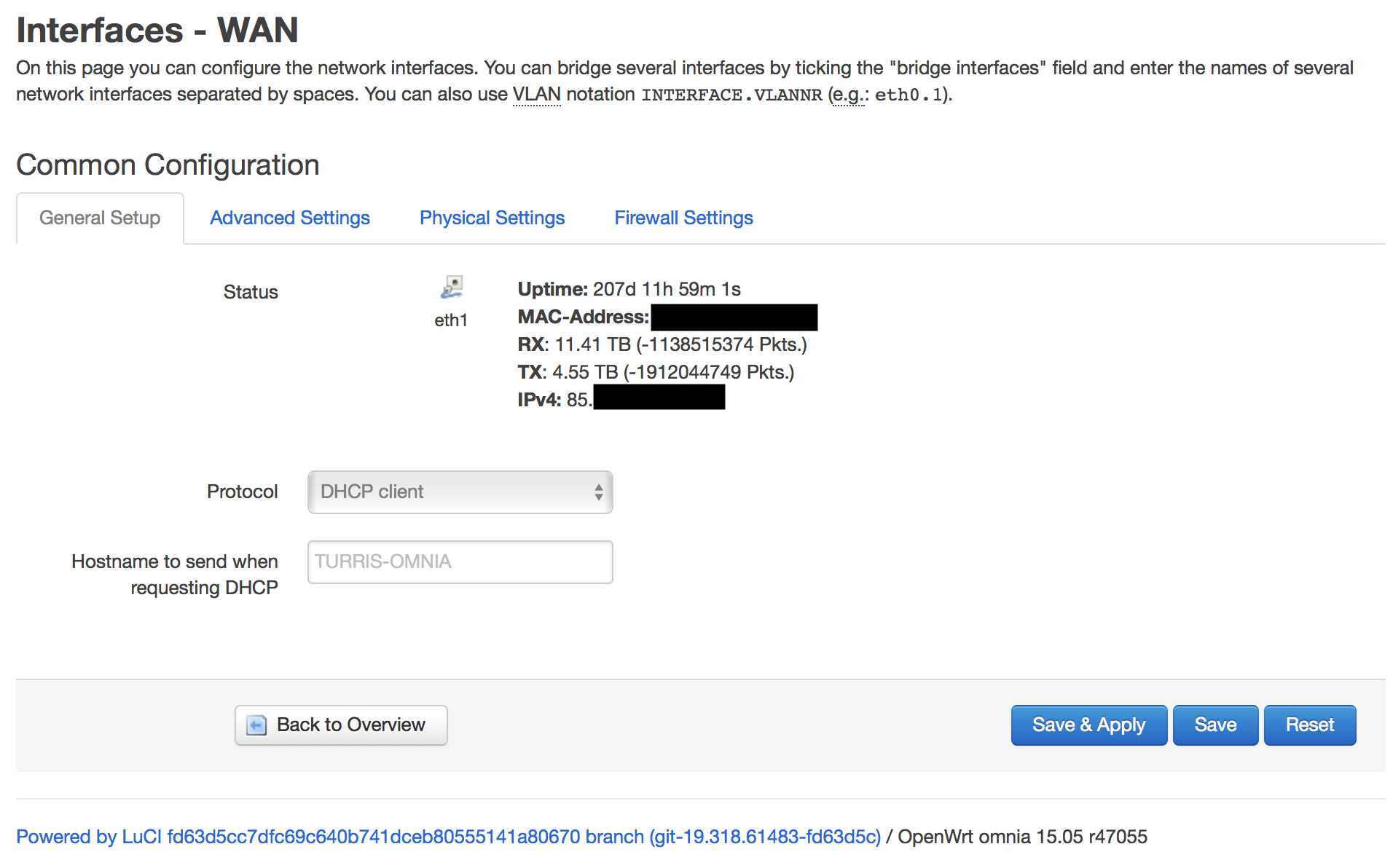
Turris Omnia, powered by Fiber7. Wir werden die Glasfaser bald vermissen … popeliges #g.fast Ahoi!
Man beachte auch den Paket Counter Overflow … und auch, dass der Download um Faktor 2.5 höher ist als der Upload.
Tags: Fiber, Fiber7, Glasfaser, Init7, Overflow, Router, RX, Turris Omnia, TX, Uptime
Labels: IT
Sonntag, 29. August 2021
„Alle Basejumper, die ich damals befragte, sagten, dass sie nicht springen, wenn sie keine Angst haben.“
Quelle: MIGROS Kulturprozent: «Wer Angst hat, lebt länger»

Tags: Angst, Basejumping, Film, Mirjam von Arx
Labels: Gesellschaft, Leben
Samstag, 28. August 2021
JOURNALISM 101 RULE: If someone says it’s raining, and another person says it’s dry, it’s not your job to quote them both. Your job is to look out of the fucking window and find out which is true. — Now more than ever.
— Andrea Junker (@Strandjunker) August 25, 2021
Tags: Andrea Junker, Definition, Journalismus, Twitter
Labels: Medien

Mario Aeby, geboren am 25. September 1980 in Bern, Schweiz
Ein Weblog über IT (Linux, OSS, Apple), Heim-Automation; mein mittlerweile abgeschlossenes Geschichtsstudium; Erkenntnisse aus meiner aktuellen Tätigkeit in der Informationssicherheit, meine Erfahrungen als IT-Berater, IT-Auditor, Web-Developer und IT-Supporter; die Schweiz, den Kanton Bern, meine ursprüngliche und auch wieder aktuelle Wohngemeinde Neuenegg, meine vorherige Wohngemeinde Bern, über lokale, regionale und globale Politik; meine Reisetätigkeit und Erfahrungen mit anderen Kulturen; und zu Guter letzt auch das Älter werden.
Alle in diesem Blog gemachten Aussagen und Meinungen sind persönlich und nicht als Ansichten meines aktuellen und/oder meiner bisherigen Arbeitgeber zu verstehen.
 |